
3D Printers for Architects: What We Use and Why
By M.Arch Diana Thompson
Aug 18, 2025 | Technology
We use 3D printers daily in practice. Not as gimmicks. As tools that save time and unlock design options.
They help with quick prototypes, façade tests, detailed study models, and pushing strange ideas into real form. Foam board and sketches are still valuable, but printers give precision and speed that old methods cannot match.
3D printers are no longer extras. They are part of the architectural toolkit. Every machine we review here has been tested in actual studio work. We know what holds up and what fails.
Here are three printers we recommend for architects and students. Each has a different strength, but all will make your workflow faster and more reliable.
The Complete Guide to 3D Printing for Architectural Models
How 3D Printing is Revolutionizing Architectural Models
Foam board, balsa wood, and hours of cutting once defined the studio grind. Now, 3D printing has changed that. Architects can move from digital sketch to physical model in a single day. The payoff isn’t just speed. It’s precision, repeatability, and the chance to test complex geometry that hand-cut models could never capture.
3D printing is no longer “experimental.” It’s part of the professional toolkit. From study models to façade mockups, these machines expand how you think, test, and present architecture.
Lets break down the essentials: what to use, how to avoid rookie mistakes, and why some printers work better for certain architectural tasks than others. These notes come from real workflows, not hype.
Pro Tip: Match Printer to Purpose
▪ Small study models → resin printers give crisp detail.
▪ Massing models → FDM printers save time and cost.
▪ Complex façade work → hybrid workflows with laser cutting + printing often win.
3D printing doesn’t replace craftsmanship. It upgrades it. The key is knowing when a fast prototype saves you from wasting weeks on the wrong idea.
See also: Real Guide to Model Making: What to Use, Cut, and Skip
Looking for the Best 3D Printer for Architectural Models?

Here are three solid picks architects actually use for quick models, detailed facades, and teaching setups.
1. Sovol SV06 ACE 3D Printer
● Why it works: Fast, precise, and open-source. Auto-leveling makes it beginner-proof, while the built-in camera helps you monitor progress.
● Best for: Rapid facade studies and quick concept models.
● Watch out: A bit noisy and the build volume is mid-sized.
2. FLASHFORGE Adventurer 5M Pro
● Why it works: Enclosed chamber keeps prints consistent. Supports multiple materials for flexible projects.
● Best for: Schools, studios, and architects juggling multi-material builds.
● Watch out: Software feels clunky at times, and the camera is low-res.
3. Tina2S Mini 3D Printer
● Why it works: Compact, simple, and portable. Great starter tool for students.
● Best for: Entry-level model making and small-scale experiments.
● Watch out: Build volume is tiny, and material options are limited.
Quick Tips for Choosing Your Printer
- Need Speed? Go for the Sovol SV06 ACE.
- Want Versatility? FLASHFORGE Adventurer 5M Pro is your best bet.
- Just Starting Out? Try the Tina2S Mini for simplicity and portability.
- Top 3D Printers for Model-Making Architects Should Know
- Find the Perfect 3D Printer for Your Architectural Projects
- Best 3D Printers for Creating Architectural Models
- Choosing the Right 3D Printer for Precise Architectural Model-Making
How Architects Actually Use 3D Printing in the Studio
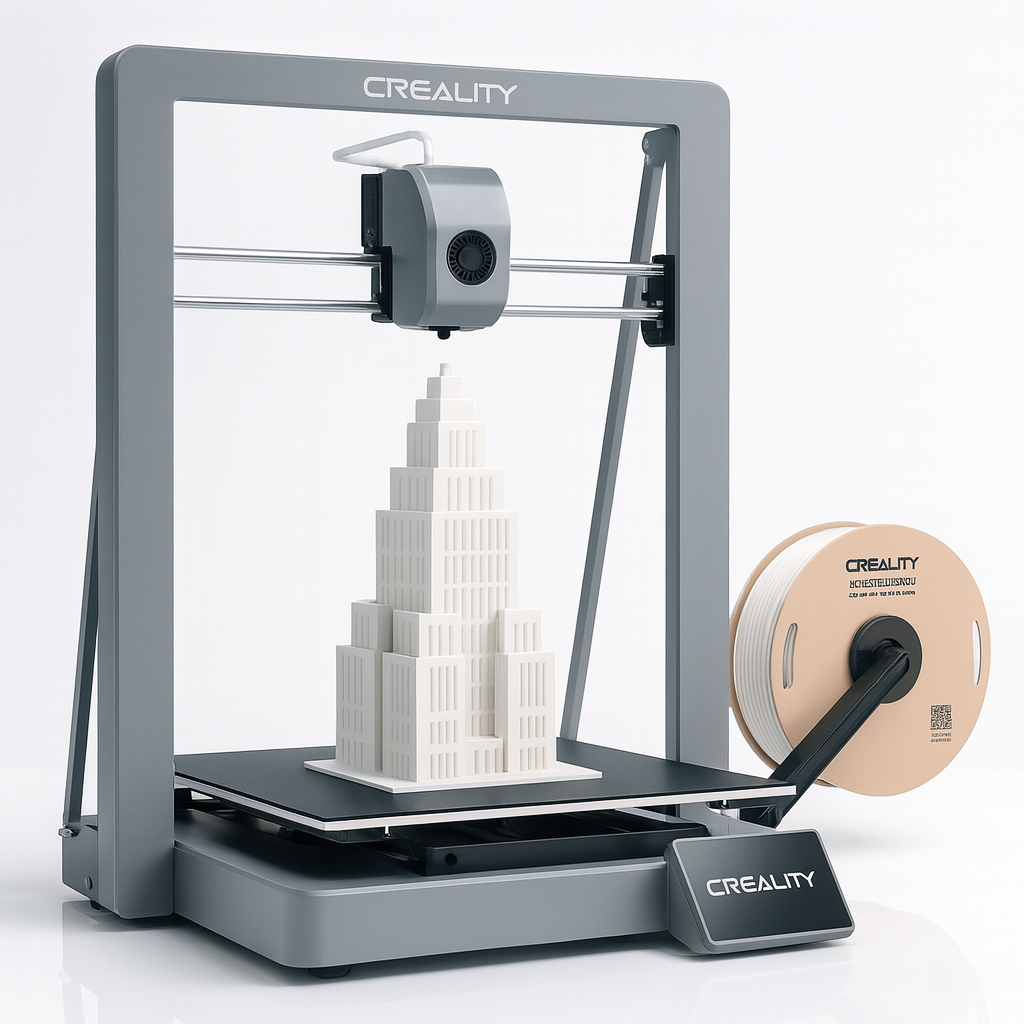
We’ve been printing models for years — concept sketches, façade studies, client pitches, even full block layouts. Along the way, we’ve learned what works, what fails, and what separates a student model from something a client keeps on their desk.
Here’s the real playbook.
Check Your CAD Before Anything Else
If the model isn’t watertight, the printer chokes. A single gap in a wall joint means wasted hours and filament. Always run it through a repair tool like Meshmixer before sending it off.
Pro move: scale-check every time. Nothing’s worse than pulling an “amazing” print that’s completely off-size.
Pick the Printer for the Job
Not all printers are created equal. Treating FDM, SLA, and SLS as interchangeable is how you end up with junk output.
-
FDM – cheap and fast. Perfect for massing studies.
-
SLA – fine detail, sharp façade patterns, tiny features.
-
SLS – strong parts, good for structure and heavy handling.
Choose wrong, and you’ll spend more time reprinting than designing.
Think About Supports Before Printing
Orientation changes everything. Print a tower upright and you’ll waste hours tearing out supports. Tilt it 45° and cleanup takes half the time.
If your printer supports soluble supports, use them. It saves detail work and your sanity.
Finish the Model Like You Mean It
Raw PLA looks like a toy. Clients won’t take it seriously.
-
Sand it.
-
Prime it.
-
Paint it.
That’s the difference between “student project” and “professional presentation.”
Test Small Before Printing Big
Don’t gamble a 20-hour job on untested settings. Print a corner, a window detail, or a connection joint. Catch mistakes while they’re small.
How We’ve Actually Used It
-
Concept models – Quick hotel massing studies we could spin in days, not weeks.
-
Structural tests – Beam connections printed in ABS that flagged a clash before steel hit site.
-
Urban planning – Whole downtown blocks in miniature, right down to 3D-printed trees.
-
Façade mockups – Lattice patterns tested in SLA to see how daylight actually hit.
-
Client pitches – Scaled tower models that landed projects (yes, they kept the model).
Why 3D Printing is Ideal for Architectural Models

3D printing is transforming architectural model-making by offering speed, precision, and versatility. Whether you’re designing for residential projects, urban planning, or intricate facades, this technology brings unparalleled advantages to the table.
How Architects Use 3D Printing in Real Projects
Speed and Efficiency: How 3D Printing Saves Time
Model-making that once took days or even weeks can now be completed in hours with 3D printers. This efficiency is crucial in fast-paced projects.
Example:
For a large-scale mixed-use project, we produced a detailed massing model in under 48 hours. This rapid turnaround allowed us to present the concept to stakeholders much earlier, speeding up the decision-making process.
Do This:
- Use an FDM printer for quick prototypes or early design stages.
- Break complex models into smaller sections for faster printing.
Don’t Do This:
- Skip testing a small section before printing the entire model—it saves time and materials.
Precision and Detail: What Makes 3D Printing Stand Out
3D printers can create intricate geometries and sharp details that are nearly impossible with traditional methods. From delicate facades to complex structural forms, the accuracy of 3D printing is unmatched.
Example:
We once worked on a historic restoration project requiring detailed reproductions of carved stonework. Using an SLA printer, we achieved incredible precision, capturing every nuance of the original design.
Pro Tip:
Choose SLA or SLS printers for detailed architectural models, especially those showcasing fine textures or intricate designs.
Experimenting Made Easy: Testing Ideas with 3D Printing
3D printing encourages creativity by making it simple to test multiple design iterations without wasting time or materials.
Example:
For a park redevelopment project, we tested three different pathway layouts by printing scaled models. Each version was assessed physically for flow and functionality before finalizing the design.
Pro Tip:
Keep your designs modular to make iterative changes easier. Reusing base components saves time and effort.
Making Client Presentations Unforgettable
Nothing beats the impact of a tangible, physical model during a client meeting. It helps clients visualize scale, proportions, and details in ways that 2D renders or even VR cannot match.
Example:
In a high-end residential project, we used a 3D-printed model to showcase the interplay of natural light in the space. The client appreciated the clarity and approved the design without delays.
Do This:
- Enhance 3D-printed models with real-world elements like trees, cars, or people for added realism.
- Use color or textured finishes to make the presentation even more compelling.
3D Printing Models: Lessons Every Architect Learns the Hard Way
3D Printing for Architects: What Works and What Fails
The Best Types of 3D Printers for Architectural Models
Not all 3D printers are created equal. Some are great for fast, rough prototypes. Others shine when detail and finish matter. Here’s a no-nonsense breakdown of the printers architects actually use, when to use them, and what to avoid.
FDM (Fused Deposition Modeling)
Best for: quick, cheap concept models.
-
Pros: Affordable, easy to run, works with PLA, ABS, PETG.
-
Cons: Rough finish, limited detail, needs sanding/painting.
-
When to use: Massing studies, block layouts, quick tests.
-
When not to: Client presentations or detailed facades.
-
Pro tip: Sand and prime FDM prints—otherwise they look like toys.
Example: We used an FDM printer to crank out city block massing models in a planning study. Cheap, fast, and good enough to shuffle volumes around.
SLA (Stereolithography)
Best for: polished, high-detail models.
-
Pros: Smooth finish, captures tiny details.
-
Cons: Resin is messy, post-processing takes time, smaller build size.
-
When to use: Client pitches, façade mockups, intricate patterns.
-
When not to: Large-scale or quick studies.
-
Pro tip: Get a wash-and-cure station—it makes SLA usable instead of a nightmare.
Example: For a cathedral preservation study, we used SLA to replicate intricate stone carvings at scale. The detail sold the design.
SLS (Selective Laser Sintering)
Best for: durable, complex parts.
-
Pros: Strong, accurate, no support structures needed.
-
Cons: Expensive machines and materials, steeper learning curve.
-
When to use: Interlocking parts, structural mockups, models handled often.
-
When not to: Basic prototypes or budget projects.
-
Pro tip: Perfect for engineering-heavy work where parts need to function.
Example: On a mixed-use project, we printed modular SLS components that snapped together for client workshops. It saved endless reprints.
Large-Scale Printers
Best for: experimental work, full-size parts.
-
Pros: Print furniture, pavilions, even house components.
-
Cons: Huge cost, big learning curve, not for every firm.
-
When to use: Experimental housing, installations, or full-scale mockups.
-
When not to: Everyday models or firms on a budget.
-
Pro tip: These machines are for pushing boundaries, not daily studio work.
Example: We worked with a contractor to 3D print a pavilion wall segment. It proved the structure and drew huge attention.
How to Choose the Right One
-
Students/Beginners: Start with FDM—cheap and forgiving.
-
Client Work: SLA is worth it for the finish.
-
Structural/Functional Models: SLS wins for durability.
-
Cutting-Edge Projects: Go big with large-scale printers.
The trick isn’t buying the fanciest machine—it’s matching the tool to the task. Use FDM for speed, SLA for looks, SLS for strength, and large-scale when you’re breaking new ground. Done right, 3D printing isn’t just another gadget—it’s how you turn digital ideas into models that actually persuade.
FIELD PICK
Best 3D Printer for Architects
Creality Ender 3 V3
Cheap enough for students. Reliable enough for pros. Perfect balance of build volume and precision for architectural models.
The Future of 3D Printing in Design and Construction
3D printing isn’t just for models anymore. It’s changing how buildings get designed, tested, and even built. From homes that go up in days to entire neighborhoods printed on-site, the technology is moving fast—and architects are at the center of it.
3D-Printed Buildings Are Real
Entire houses and hotels have already been printed. The payoff is speed, lower cost, and forms that would have been impossible with traditional methods.
Example: A hotel expansion project used 3D printing to produce intricate units in weeks, not months, with a fraction of the labor.
Sustainability Without the Waste
3D printing uses only the material it needs. That means less waste, fewer trucks, and lower emissions.
Example: A printed home in Europe cut both carbon footprint and build time, proving sustainable construction can be practical, not just theoretical.
From Single Homes to Whole Communities
Firms are now printing entire neighborhoods. Projects with 100+ homes show the scale is possible, and timelines that once took months are being compressed into weeks.
Printing Beyond Earth
NASA and others are testing how to use local material on the Moon or Mars to print habitats. The same principles of efficiency and adaptability here on Earth could make space living possible.
The Roadblocks
-
Costs are still high for industrial-scale printers.
-
Materials are limited compared to conventional construction.
-
Skilled operators and designers are in short supply.
But each year, those barriers shrink. Costs drop. New materials appear. More architects learn the tools.
What’s Next
-
Printing with clay, ceramics, and bio-materials like mycelium for sustainable forms.
-
Mobile on-site printers that cut logistics entirely.
-
Disaster-relief housing built in under a day.
-
Smart facades and kinetic elements that adapt to light, heat, or air quality.
-
Hybrid methods that mix printed frameworks with concrete, wood, or steel.
3D printing in architecture has moved past hype. It’s now a working tool—one that cuts waste, speeds up projects, and opens design possibilities that used to stay on paper. The firms experimenting today are shaping what tomorrow’s buildings will look like.
3D Printing in Architecture: From 1984 to Today
3D printing, also called additive manufacturing, started in 1984 when Charles Hull built the first stereolithography (SLA) machine. It used UV lasers to harden liquid resin into solid shapes. Aerospace and automotive companies used it first for fast, accurate prototypes.
By the early 2000s, costs dropped. Smaller industries and hobbyists got access. Architects could finally skip cutting foam board or balsa wood by hand and produce complex models overnight.
Why It Changed Architecture
-
Speed: Models in hours, not days.
-
Detail: Facades, textures, and curves no longer a nightmare to build.
-
Iteration: Print multiple versions, refine designs faster, waste less.
Quick Timeline
-
1984: Charles Hull invents SLA.
-
1990s: Aerospace and automotive rely on it.
-
2000s: Printers reach small firms, hobbyists, architects.
-
2010s: Affordable desktop printers become common.
-
Now: A core tool in architectural studios worldwide.
Today, 3D printing is standard in architecture. It turns digital files into physical models that help clients see form and scale instantly. For urban planning, interiors, or structural studies, it’s no longer optional.
See also: 15 Must-Have Gadgets for Cool Architects and Designers
Final Thoughts
So, we hope you see now that 3D printing isn’t just another tool—it’s not something to treat like an optional gadget. If you do, you’re already putting a limit on what it can do for you. Think of it as something that helps architects, designers, and creative professionals from all fields rethink how they work. And let’s be honest—you’ve got to adapt to this quickly, or you’ll be left behind. Especially if you’re, well, past your 40s (don’t worry, we don’t want your kids stealing your jobs just yet!).
For students testing new ideas or professionals trying to push boundaries, having a 3D printer isn’t just cool—it’s a serious upgrade. Why?
Let’s recap:
it makes you faster, more efficient, and just plain better. From detailed façade mockups to full-blown cityscapes, it’s the perfect mix of creativity and practicality.
With the right planning, good material choices, and a bit of curiosity, you’ll create physical models that wow clients and bring your designs to life in ways you never thought possible. That’s progress, folks.
But hey, take it easy. Start small, get comfortable with the process, and then scale up. This isn’t about jumping on a trend—it’s about equipping yourself with the tools to turn your vision into something real and unbeatable.
Trust us, once you get into it, you’ll wonder how you ever managed without it. Let’s make it happen.
FAQ
1. What is 3D printing in architecture used for?
3D printing is used to create architectural models, structural components, urban planning layouts, and even full-scale buildings. It helps streamline workflows, enhance precision, and reduce material waste.
2. How does 3D printing save time in architecture?
3D printing drastically reduces the time needed to create physical models or building components. Projects that might take weeks with traditional methods can often be completed in hours or days.
3. Is 3D printing sustainable for construction?
Yes, 3D printing can be more sustainable by minimizing material waste, using eco-friendly materials, and reducing energy consumption compared to traditional construction methods.
4. What types of 3D printers are best for architects?
- FDM Printers: Great for quick prototypes.
- SLA Printers: Ideal for intricate designs.
- SLS Printers: Best for durable and complex geometries.
- Large-Scale Printers: Used for full-scale construction projects.
5. What are the challenges of 3D printing in architecture?
Challenges include high initial costs, limited materials for certain designs, and the need for skilled operators. However, ongoing advancements are addressing these limitations.
6. Can 3D printing be used for large-scale projects?
Absolutely! From printing full homes to entire neighborhoods, large-scale 3D printing is already being used in residential and commercial construction projects.
Related
Model Making Tools & Resources
- Architectural Model Making Tools for Beginners & Professionals: What to use, when to upgrade, and how to avoid tool overload.
Visualization & Studio Communication
- Architectural Presentation and Rendering: How to show your design ideas clearly with the right tools and layout.
- Architectural Renderings Enhanced by AI: A look at how AI tools change the way architects communicate and visualize.
- Rendering for Architecture Students: Real advice on producing school-ready visuals that stand out in reviews.
Form, Theory & Technical Design
- Creating Beautiful and Functional Spaces: Expert Tips for All Levels: Tips that bridge concept with real-life use and user experience.
- Form Follows Function in Architecture and Design: Why this old phrase still explains smart modern architecture.
- Form Meets Function: Principles for Great Architectural Design: Where aesthetics and usability overlap—and where they don’t.
- Architectural Form Examples: How Shape Defines Function: Clear examples of how form supports structure, use, and identity.
Interior, Layout & Space Logic
- Interior Design Functional Elegance: Practical Tips for Stunning Interiors: A blunt breakdown of materials, space use, and real beauty in interiors.
- Scale and Proportion in Architectural Design: Balancing Form and Function: How to fix designs that feel “off” with correct proportion and rhythm.
Influential Architects & Planning Concepts
- Frank Lloyd Wright: Merging Form and Function in Architecture: A look at Wright’s process, ideas, and why his influence still matters.
- Clustered Form Architecture: Function, Space, and Design: How spatial clusters shape experience, access, and circulation.