
Construction project management workflow is the sequence a job follows from early planning to closeout. It covers how decisions move, who reviews what, when drawings turn into procurement and field work, and how the team keeps schedule, cost, quality, and documentation tied together once the site gets busy.
That sounds orderly. Good projects usually are. Weak projects only look orderly for a while.
A job can have a project manager, a schedule, weekly meetings, and a stack of reports and still run badly if the workflow is loose. Submittals sit too long. RFIs come in after work should already be ready. Procurement is tracked on one log, field work on another, and neither one matches the real schedule. Inspections get treated like the last step instead of part of the sequence. Then everyone spends the middle of the project trying to reconnect pieces that should have been linked from the start.
This guide explains how construction project management workflow works in practice: the main stages, the handoffs between office and field, the documents that keep the job moving, the places where workflow usually breaks down, and the habits that make a project feel controlled instead of constantly reactive.
What This Guide Covers
- What construction project management workflow means
- The main workflow stages from preconstruction to closeout
- How information moves between owner, designer, contractor, trades, and inspectors
- The role of submittals, RFIs, procurement, schedule control, quality checks, and closeout
- The workflow failures that keep showing up on real jobs
What Construction Project Management Workflow Really Means
Construction project management workflow is not just a flowchart. It is the operating sequence of the project.
It defines how work is released, how information is reviewed, how procurement lines up with installation, how changes move through the job, how cost and schedule are controlled, and how the project gets from preconstruction to turnover without losing track of the decisions made along the way.
That broader definition matters because jobs do not usually fail for lack of activity. They fail because activity is moving in the wrong order, or because the wrong people are making decisions too late, or because key parts of the process are being managed in isolation. The schedule says one thing. Procurement says another. The site team is working off a third reality entirely.
Good workflow fixes that by giving the project a usable order of operations. Not a ceremonial one. A usable one.
If you need the broader setup before this stage, construction project development and preconstruction planning are the right companion pages. They explain how the job gets shaped before workflow starts carrying real operational weight.
Workflow Starts Before the Site Does
One easy mistake is thinking project workflow begins once construction starts. It does not.
The workflow starts when the team begins organizing the project: scope, roles, approvals, reporting lines, meeting structure, document control, cost tracking, scheduling approach, procurement strategy, and what counts as a required review before work moves. If that setup is weak, the field usually ends up paying for it later.
This is why project management workflow belongs close to preconstruction. By the time the first material is delivered, the job should already know things like:
- who approves what
- what requires design review
- what requires owner review
- how submittals are classified and routed
- how schedule updates will be handled
- how RFIs, changes, and payment reviews move through the team
- what documents control field execution
That is not bureaucracy for its own sake. It is basic project control. Without it, the workflow becomes personality-driven. Whoever shouts loudest or responds fastest starts driving the job.
Stage 1: Preconstruction and Setup
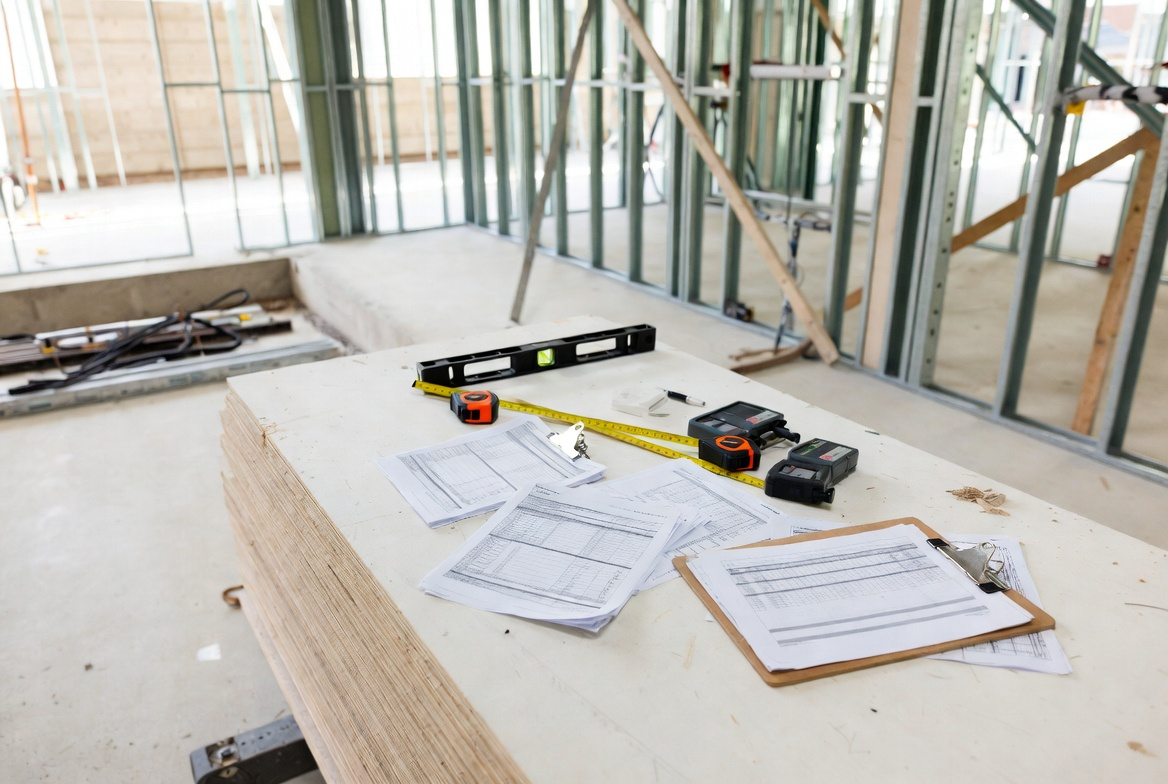
Every solid workflow starts with a setup stage. This is where the team gets aligned on scope, sequence, procedures, risk, and communication before the site turns noisy and harder to slow down.
At this stage, project managers are usually working through some version of the following:
- reviewing scope and contract requirements
- confirming project milestones and major constraints
- setting the document-control process
- building the baseline schedule and update process
- mapping procurement and long-lead items
- establishing meeting structure and reporting cadence
- planning submittal flow, inspection flow, and closeout expectations
- coordinating site logistics and early trade sequencing
This is where a lot of projects get hurt early without looking hurt yet. People want to mobilize. The schedule exists. The owner wants to see visible progress. So the team starts moving before the workflow is fully settled.
Then the same issues start repeating: unanswered RFIs, late submittals, procurement gaps, unclear ownership of startup tasks, field work moving ahead of approvals, and change management that feels improvised instead of controlled.
Worth reading next: preconstruction planning and preconstruction checklist sit directly underneath this stage.
Stage 2: Project Controls and Document Control
Once the project is live, the workflow depends on controls. Not glamorous. Not optional either.
Project controls are the systems used to track the job against scope, budget, schedule, and reporting requirements. Document control is the structure that keeps the team working from current information instead of a pile of outdated files, email attachments, marked-up PDFs, and memory.
On stronger jobs, this part feels quiet because it is working. On weaker jobs, it turns into constant friction.
Common control elements include:
- master schedule and update process
- submittal log
- RFI log
- change log
- procurement log
- meeting minutes and action tracking
- inspection tracking
- cost and payment tracking
- closeout and turnover log
The important thing is not just having those logs. It is whether they connect to the actual job. A procurement log that does not inform the schedule is only half useful. An RFI log that records responses but does not show field impact is only half useful. A change log that is financially current but operationally late is only half useful too.
This is one reason workflow matters more than software branding. Plenty of teams have good platforms and still run a weak process. The platform does not create discipline by itself.
If cost control is becoming the bigger issue, cost control and cost planning are the right support pages here.
Stage 3: Design Coordination, Release Packages, and Field Readiness
Projects do not move from design to field in one clean jump. They move through releases, reviews, clarifications, and package decisions.
That is where workflow either protects the job or starts hurting it.
On real projects, field teams need to know which drawings are current, which packages are approved for use, what is still under review, and what decisions are still open. That sounds obvious. It still gets blurred constantly.
A common failure pattern goes like this: the schedule assumes a work area is ready, the field team starts organizing labor around it, then somebody realizes one of the following is still unresolved:
- steel detail coordination
- MEP routing conflict
- site utility crossing
- equipment selection
- finish package review
- authority comment requiring revision
Now the workflow starts running backward. Work gets resequenced. The team chases answers under pressure. The schedule gets patched instead of managed.
This is why good workflow includes a release logic. What is approved for construction. What is approved for pricing only. What is approved with comments. What is still pending. If those categories stay loose, the site ends up building around uncertainty and calling it progress.
Also useful: construction document set parts helps frame what documents are supposed to control this stage and why drawing quality still matters long after design meetings are over.
Stage 4: Submittals, RFIs, and Review Paths
This is one of the clearest workflow stages on any job, and one of the easiest to mishandle.
Submittals and RFIs are not side paperwork. They are how the project confirms products, systems, delegated design information, fabrication details, and unresolved questions before the work gets buried in the field.
A strong submittal workflow usually has these parts:
- submission by the responsible trade or supplier
- contractor review before forwarding
- designer or consultant review where required
- owner or authority review where contractually required
- return, tracking, and field release
That seems simple until it is not. Submittals arrive late. They arrive incomplete. They are reviewed too slowly. They come back “revise and resubmit” twice. The field wants to move anyway. Then the project starts pretending the paperwork is the problem when the real problem was workflow discipline much earlier.
RFIs behave the same way. Some RFIs are real clarifications. Some are design coordination failures showing up late. Some are scope gaps. Some are field planning failures in disguise. The workflow has to separate those cleanly enough that the answer is useful and the impact is visible.
This stage gets especially ugly when the schedule assumes approvals that the workflow has not earned yet. That is how teams end up acting surprised by delays that were sitting in plain view on the submittal log for weeks.
Stage 5: Procurement, Buyout, and Delivery Coordination
Procurement is where workflow stops being abstract.
Once materials, equipment, and trade commitments start moving, the project has to keep procurement tied to sequence, access, labor planning, and installation readiness. Otherwise deliveries happen at the wrong time, long-lead items quietly become the real schedule, and the site starts storing problems instead of solving them.
This stage includes more than just buying things. It includes:
- trade buyout
- long-lead release
- supplier coordination
- shop drawing timing
- delivery sequencing
- staging and storage planning
- owner-furnished item coordination
One common workflow failure is splitting procurement from schedule control. The PM team has one view. The field team has another. The procurement log says an item is “in process.” The superintendent needs to know whether it will be on site when the lift window opens. Those are not the same level of information.
Another one is owner-furnished equipment. Everyone assumes it will arrive. No one owns the real sequence tightly enough. Then startup, clearances, connections, or commissioning get delayed because the workflow treated owner-furnished items like a side note instead of a critical dependency.
Before you move on: project data basics becomes useful here because bad data and bad workflow usually start traveling together once procurement gets messy.
Stage 6: Field Execution, Daily Coordination, and Workface Flow
This is where the project management workflow becomes visible in daily operations.
Now the job depends on area readiness, trade handoffs, site logistics, inspections, material availability, labor sequencing, and whether the information reaching the field is current enough to build from.
At this stage, strong workflow usually looks like:
- clear daily and weekly coordination
- short-horizon planning tied to actual field conditions
- current documents in the field
- work that is released only when ready
- inspection sequence understood ahead of time
- issues escalated early instead of buried until they hurt schedule
Weak workflow looks different. Trades get stacked too aggressively. One area is promised to two different crews. Ceiling closure is announced before MEP coordination is really closed. Deliveries arrive before the lift path is settled. Finishes start moving while moisture, cure time, or inspection access are still being treated casually.
That is why project management workflow is not just an office tool. It is what determines whether the field is pulling from a stable sequence or constantly adjusting to surprises.
If the job is already in that phase, construction quality management and inspection process are the right follow-ups because quality discipline and workflow discipline start colliding every day once the site is live.
Stage 7: Inspections, Quality Control, and Acceptance Flow
Inspections do not sit at the edge of the workflow. They are part of it.
Work that requires inspection, testing, authority signoff, or quality verification needs to be sequenced that way from the start. Otherwise teams treat inspection like the final courtesy step and then blame the inspector when the work cannot move.
This stage usually includes some mix of:
- preparatory checks before work starts
- inspection requests
- testing and verification
- deficiency tracking
- reinspection where required
- documentation of accepted work
Quality workflow is one of the clearest tests of whether the job is being run proactively or reactively. On better projects, inspections are built into the work plan. On weaker ones, the field gets ahead of itself, then starts negotiating with the workflow after the fact.
That usually ends the same way: rework, resequencing, and a schedule that gets updated as if the delay appeared by itself.
Stage 8: Cost, Changes, and Payment Workflow
Construction project management workflow also includes the money path. It has to.
Changes, payment applications, contingency use, back charges, and scope clarifications all move through a sequence too. When that sequence is weak, the project may still keep building, but control starts slipping behind the scenes.
A workable change and cost flow usually answers four things clearly:
- who identifies the issue
- who prices it
- who reviews it
- who authorizes it before it affects downstream work
That sounds basic. It is still where jobs lose clarity fast. Field direction gets given before pricing is settled. Scope changes are discussed verbally for too long. Payment status lags behind work status. Then the PM team ends up trying to reconstruct commercial reality after the operational decisions have already moved.
This is also where workflow helps protect relationships. A clean change process does not make cost growth painless, but it does make responsibility easier to see.
Stage 9: Turnover, Commissioning, and Closeout
Closeout is where a lot of workflow weaknesses become impossible to hide.
The building looks finished. Occupancy is close or already happening. But the turnover package is thin, startup support is still unresolved, record drawings are late, warranties are scattered, and owner training was treated like something that would somehow organize itself at the end.
Good closeout workflow includes:
- punch tracking
- testing and startup records
- commissioning support where required
- record documents and as-builts
- operation and maintenance manuals
- owner training
- warranty and final payment closeout
This is not just paperwork. It is the final handoff of usable information. If the workflow treated closeout like an afterthought all year, the building may be physically complete while still being operationally messy.
That is the kind of ending people remember.
Where Project Management Workflow Usually Breaks
Not in one dramatic collapse. Usually in smaller, repeatable ways.
- The review paths are unclear. Submittals, RFIs, and changes sit longer than they should because ownership is fuzzy.
- Procurement is tracked separately from field sequence. The item is “in process,” but no one can say what that means for installation.
- Owner decisions stay open too long. The team keeps planning around unresolved choices.
- Current documents are not reaching the field reliably. Work starts from half-updated information.
- Inspection flow is treated as a reaction. The job gets ahead of its acceptance path.
- Closeout is ignored until the end. The project finishes building before it finishes handing over.
That is the real pattern. Not a lack of software. Not a lack of meetings. A lack of clean operating sequence.
What a Strong Workflow Looks Like
Strong projects still vary by size, contract type, and software stack. The better ones usually share a few habits.
- They set review paths early and keep them visible.
- They connect procurement, submittals, inspections, and field release instead of tracking each in isolation.
- They make area readiness a real decision, not a hopeful assumption.
- They keep document control tied to what the field is building right now.
- They treat changes and turnover as workflow stages, not late administrative tasks.
- They update the process when the job changes instead of pretending the original setup still fits everything.
That last part matters. Workflow is not static. The project changes, so the process has to stay alive enough to keep up.
A Practical Workflow Checklist
Before you trust a project management workflow, ask a few blunt questions:
- Does the team know who approves submittals, RFIs, and changes?
- Are procurement, schedule, and field readiness tied together?
- Are current documents reliably reaching the field?
- Is inspection flow built into the work plan or added later?
- Are owner decisions being tracked by downstream impact, not just by topic?
- Is closeout being prepared during the project, not after it?
- Can the PM team explain how information moves from design review to install-ready work?
If the answer to several of those is vague, the workflow is probably weaker than it looks.
What To Do Next
Preconstruction planning is the right next read if the workflow problem starts before the site, during setup, packaging, and early risk control.
Construction project development is useful if you want the broader path around feasibility, design, procurement, construction, and closeout.
Construction planning and scheduling is the better next step if the real issue is not workflow ownership, but sequence, timing, and how work is being made ready.
FAQ
What is construction project management workflow?
Construction project management workflow is the operating sequence a project follows from preconstruction to closeout. It defines how information, approvals, procurement, field work, quality checks, and turnover activities move through the team.
Why is workflow important in construction project management?
Because construction work depends on the right information moving at the right time. A weak workflow causes delays, review bottlenecks, procurement mistakes, field confusion, and closeout problems even when the team is busy and the schedule looks active.
What are the main stages of a construction project management workflow?
Most workflows include preconstruction setup, project controls, document control, design coordination, submittals and RFIs, procurement, field execution, inspections and quality control, change management, and closeout.
Who owns the workflow on a construction project?
No single person owns every part of it, but the project manager usually helps hold the overall process together. Designers, consultants, superintendents, trade partners, inspectors, and owners all control pieces of the workflow at different stages.
What is the biggest workflow mistake on construction projects?
Usually not one dramatic problem. More often it is letting key parts of the process drift apart: procurement from schedule, field work from approvals, inspections from sequence, or closeout from the rest of the project.
Are submittals and RFIs part of workflow or just documentation?
They are part of workflow. They control how product information, technical clarifications, delegated design, and unresolved issues move before work is released to the field.
How is workflow different from a construction schedule?
The schedule places work in time. Workflow governs how information, decisions, approvals, and handoffs move through the team. The two need to support each other, but they are not the same thing.
What does a strong closeout workflow include?
It usually includes punch tracking, testing records, commissioning support where needed, as-builts, O&M manuals, owner training, warranty information, and final payment closeout handled in a planned sequence rather than as a last scramble.
Official sources
- CMAA – Owners Guide to Construction and Program Management
https://www.cmaanet.org/sites/default/files/inline-files/Owners%20Guide.pdf - CMAA – Outline of CM Functions
https://www.cmaanet.org/outline-cm-functions - CMAA – Project Planning
https://www.cmaanet.org/sites/default/files/resource/Project%20Planning.pdf - WBDG / GSA – Project Planning Guide
https://www.wbdg.org/FFC/GSA/projectplanningguide.pdf - UFGS 01 33 00 – Submittal Procedures
https://www.wbdg.org/FFC/DOD/UFGS/UFGS%2001%2033%2000.pdf - UFGS 01 78 00 – Closeout Submittals
https://www.wbdg.org/FFC/DOD/UFGS/UFGS%2001%2078%2000.pdf - VA Commissioning Process Manual
https://www.wbdg.org/FFC/VA/VACOMM/nca_cxmanual.pdf - CMAA – Understanding Your Role
https://www.cmaanet.org/sites/default/files/resource/CMAA-DeliveryMethods-WhitePaper-03052025.pdf