
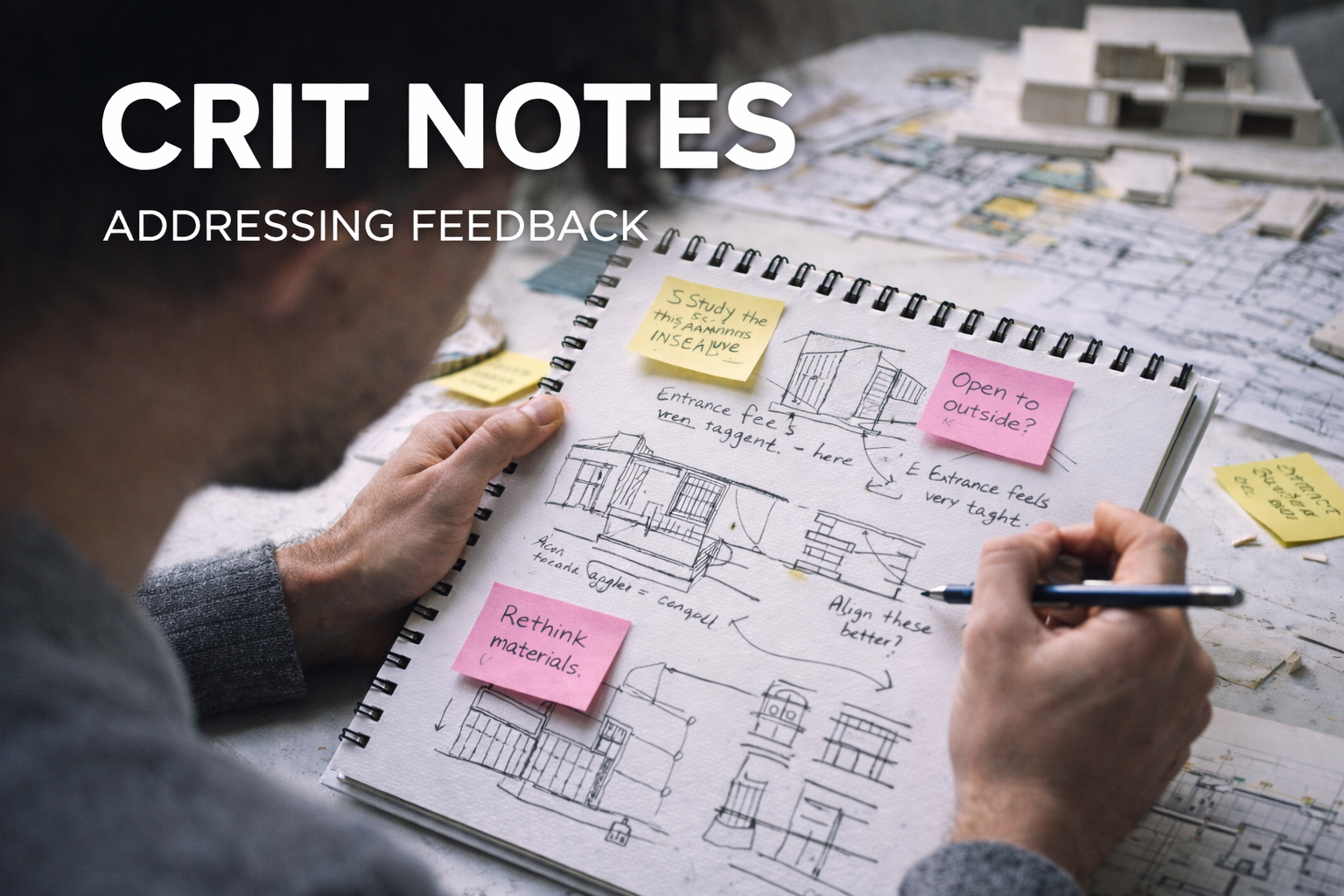
Crit Survival: What to do after each comment (without spiraling)
Step-by-step crit recovery: what to do after each comment, how to prioritize fixes, what to redraw first, and how to test your revisions so your next pin-up feels intentional, not patched.
This is the part nobody teaches you. Studio crits feel random until you realize most comments fall into a few buckets. Once you can classify the comment, you can respond with a move — not a mood.
Quick context: this page is the “my prof said 8 words and I’m lost” translator. If you’re new to basic design overall, start at Basic Design and Architecture: A Practical Studio Guide. If you’re stuck on “cool diagram, can’t become a building,” jump to Design Basics: Architecture and Building (the reality bridge).
Your 2-minute rule (do this while they’re still talking)
When a critic speaks, you only need three things:
- Type (what kind of problem is this?)
- Evidence (what did they point at? plan? section? model? one corner?)
- Next test (what drawing/model do I change first to check if they’re right?)
Do not try to “solve” it live. Your job in crit is to capture a clean problem statement you can work on later.
Make a “Crit Log” (the thing that actually improves your projects)
Open a notes doc called CRIT LOG. Every comment becomes a line item. This stops you from doing the classic student move: fixing the last thing said because it’s loudest.
- Comment (raw): “Tighten the hierarchy.”
- Translation: “Too many moves competing. Main idea isn’t reading.”
- Where it shows: “Plan + massing + entry sequence.”
- Test: “Make one diagram that shows primary/secondary/servant spaces.”
- Fix if true: “Delete/merge one major space, simplify circulation, strengthen one axis/datum.”
If you keep this log for a semester, your work gets sharper fast — not because you’re smarter, but because you’re not losing the thread every week.
Comment-by-comment: what to do right after you hear it
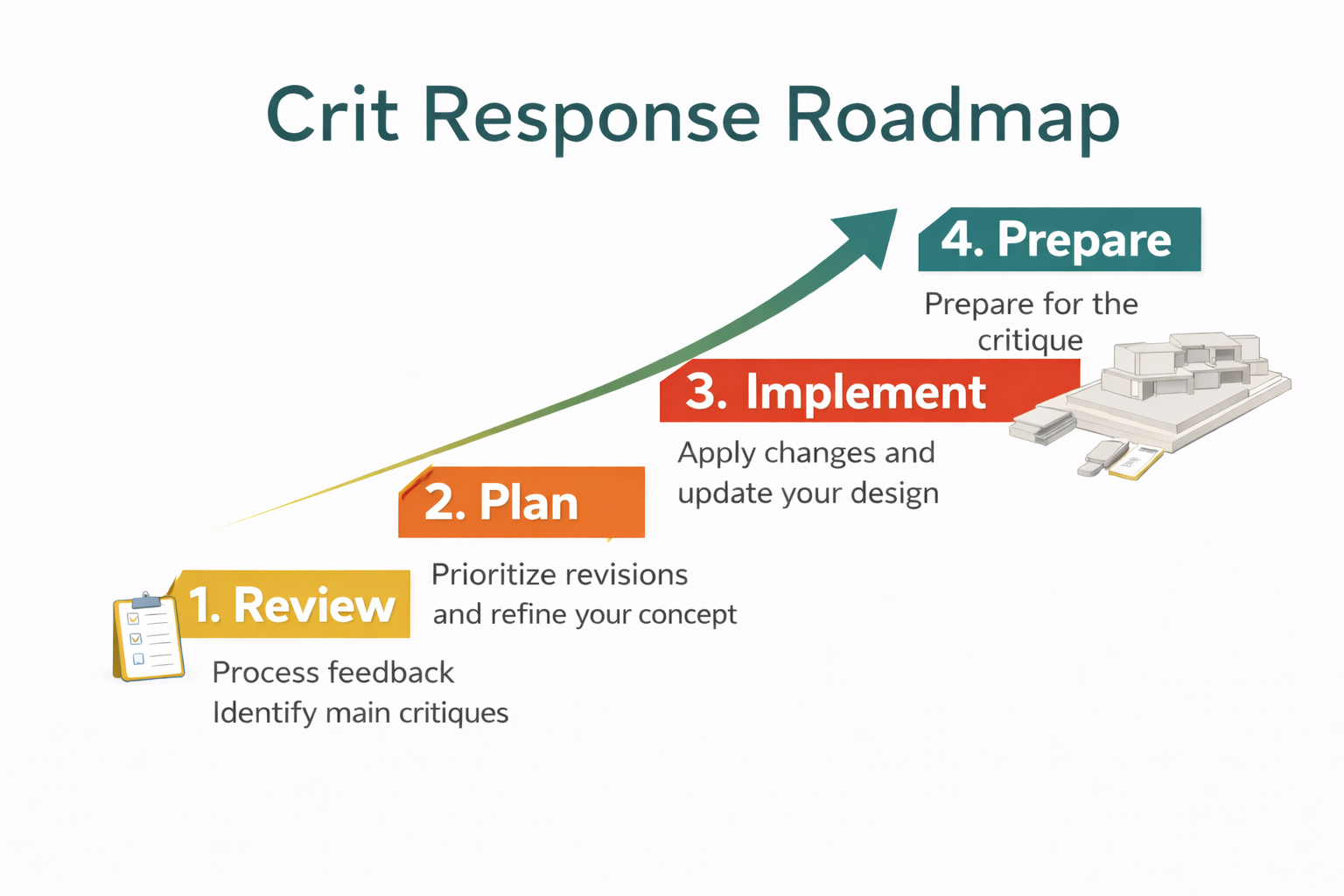
Below are the most common studio comments. For each one you get:
- What they usually mean
- How it shows up in a project
- How it fails (the pattern)
- What to do next (a concrete move)
1) “Tighten the hierarchy.”
Meaning: Your project has too many “main” things. Nothing leads. Everything screams.
Shows up as: A plan with equal line weight everywhere. A section with no big spatial moment. A model where every edge is equally detailed.
Fails like: You keep adding features instead of choosing. You’re trying to impress with quantity.
Do next (fast):
- Make a hierarchy diagram: primary / secondary / servant (just blocks, no beauty).
- Pick one main space or move. Say it in 8 words.
- Delete or compress one competing “main” element. Yes, delete. That’s the skill.
Related internal: Hierarchy in Architecture: How Buildings Tell You What Matters.
2) “Your section isn’t doing work.”
Meaning: The project only exists in plan or render. The vertical logic is weak: structure, light, air, program stacking, thresholds, level changes.
Shows up as: A section cut that avoids the hard parts (stairs, structure, roof, big openings). Or a section that’s basically an elevation with furniture.
Fails like: You’re treating section as documentation, not design.
Do next (fast):
- Cut two new sections:
- One through the main spatial moment.
- One through the hard technical moment (stairs + structure + big opening).
- Add only 5 things: floor-to-floor heights, structure, daylight path, circulation, thresholds.
- If the section still reads flat: your concept is probably not spatial yet.
Bridge page (useful here): Design Basics: Architecture and Building.
3) “Resolve the edge.”
Meaning: Your building meets the world awkwardly. Corners, entries, ground contact, and transitions look undecided.
Shows up as: A facade that stops suddenly. A landscape that’s just green texture. An entry that’s a door on a wall.
Fails like: You designed an object, not a place.
Do next (fast):
- Draw a 1:200 edge strip: building + ground + steps + drainage slope + planting/curb line.
- Make one clear threshold: porch, canopy, vestibule, stair run, courtyard, wall thickening.
- Build a rough physical edge model (cardboard only). You’ll see the awkwardness instantly.
Helpful related: Thresholds, datum, solid/void (studio-translated).
4) “I don’t get the parti.”
Meaning: They can’t summarize your idea. The organizing move isn’t legible.
Shows up as: You explain for 5 minutes and they still ask “so what’s the concept?”
Fails like: The parti exists in your head, not in the drawings.
Do next (fast):
- Make a single parti diagram (one page): one line, one mass move, one circulation idea.
- Then test it: does the plan actually follow it? does the section follow it?
- If it doesn’t: either your parti is fake, or your design drifted. Pick one and realign.
Related internal: Parti in Architecture (the backbone).
5) “Figure-ground is messy.”
Meaning: Your solids and voids don’t read clearly. Your building massing is confused, or the open space is leftover space.
Shows up as: Courtyards that look accidental. Plans where rooms don’t “lock in.” Streets/paths that don’t create edges.
Fails like: You designed rooms, but you didn’t design the void.
Do next (fast):
- Make a pure figure-ground drawing: black = building, white = void. No linework.
- Circle the 2–3 voids that matter. If you can’t: that’s the problem.
- Choose one void to “author.” Give it a shape, an edge, an entry, and a reason.
Related internal: Figure-ground (what it means + how it fails).
6) “Your circulation is confused.”
Meaning: People can’t predict how to move. The project has no primary path, or the entry doesn’t set up the sequence.
Shows up as: Corridors that wander. Doors that land into awkward spaces. Stairs that feel hidden. No moment of arrival.
Fails like: You planned space, but not experience.
Do next (fast):
- Draw circulation with one thick line (primary) and thin lines (secondary).
- Mark three moments: arrival, decision point, destination.
- If it’s still messy: reduce options. Clarity beats cleverness in most reviews.
Related internal: Space Planning Essentials (beginner-friendly).
7) “This is a nice diagram… but can it become a building?”
Meaning: Your proposal doesn’t have structural logic, envelope logic, or basic buildability. The critic is warning you early.
Shows up as: Massive cantilevers with no strategy. Big openings with no support. Thin walls that pretend structure is optional.
Fails like: You’re designing graphics, not construction.
Do next (fast):
- Pick a grid and a span range. Even if it’s approximate.
- Mark load paths: what holds up what?
- Give walls a real thickness. Give structure a real depth.
- Then re-check your concept. If the concept dies when structure appears, the concept was fragile.
Bridge page: Design Basics: Architecture and Building.
8) “Scale is off.”
Meaning: Something feels wrong in the body. Doors, stairs, rooms, ceilings, or urban edge don’t match human reality.
Shows up as: Giant lobbies, tiny stair landings, furniture that looks like dollhouse, or a facade rhythm that doesn’t match floors.
Fails like: You didn’t dimension early, or you “eyeballed” everything.
Do next (fast):
- Add two human figures in section at key moments (stairs + main space).
- Dimension just 10 things: stair, corridor, door, ceiling, one room, one bay, one span.
- Use a grid or datum to keep proportions consistent.
Related internal: Scale and Proportion in Architectural Design.
9) “Materiality feels pasted on.”
Meaning: You picked materials late, like clothing. The material choice doesn’t support structure, climate, or concept.
Shows up as: Random textures in renders. Details that contradict the system. Facades that don’t thicken where they should.
Fails like: Your envelope has no logic: water, heat, air, structure, maintenance.
Do next (fast):
- Choose one primary system (masonry, timber, steel, concrete, hybrid).
- Draw a simple wall section at 1:20 (even schematic): structure + insulation + cladding + opening.
- Make materials do a job: span, shade, vent, protect, carry, age.
Related internal: Materials (why they matter early).
10) “This needs a datum.”
Meaning: There’s no consistent reference line/plane organizing the project. Things float. Alignments are accidental.
Shows up as: Windows not lining up. Floors stepping randomly. Structure not tracking. Edges drifting.
Fails like: You’re composing moment-to-moment without a spine.
Do next (fast):
- Pick a datum: a line (axis), a plane (bench/ledge), or a level (continuous floor/roof).
- Use it to align 3–5 key elements: structure, openings, circulation, edge condition.
- If the datum breaks, it should break on purpose, with a reason you can say out loud.
Related internal: Datum (studio translation + examples).
How to respond in the room (without sounding defensive)
You don’t need a perfect comeback. You need a professional posture.
- Good: “Okay — when you say the hierarchy is unclear, do you mean the plan reads flat, or the massing reads flat?”
- Good: “If I fix one thing first, where would you start — entry sequence or section?”
- Good: “I hear you. I’m going to test that by cutting a new section through the main moment.”
- Avoid: “But my concept is…” (then 4 minutes of explanation)
- Avoid: “You’re wrong because…” (you can be right later, quietly, with drawings)
Remember: critics trust drawings more than speeches. Your best argument is a clearer plan, a smarter section, a tighter model.
What to do in the 24 hours after crit (the actual workflow)
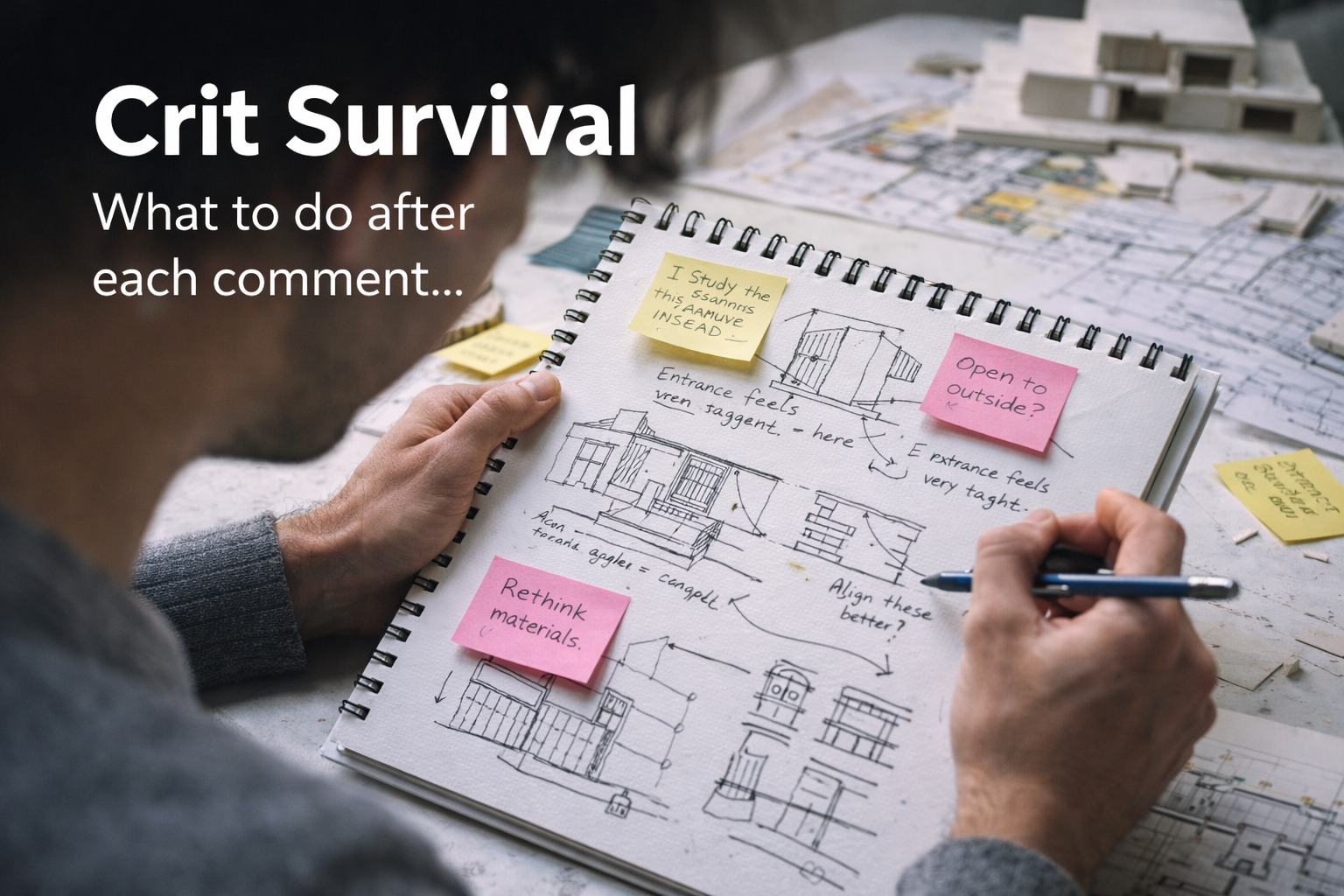
Step 1: Sort comments into three piles
- Clarity problems (hierarchy, parti, circulation, figure-ground)
- Reality problems (section, structure, envelope, code, daylight)
- Communication problems (drawings aren’t saying what you think)
Step 2: Fix one drawing first (not everything)
If you don’t know where to begin, start with the drawing that explains the project:
- For most studios: plan + one strong section
- For form-heavy studios: massing + figure-ground
- For tech-integrated studios: section + structure grid
Step 3: Run “the three tests”
- 8-word test: can someone summarize your idea in one sentence?
- One-page test: can your project be understood from one page (plan + diagram + section snippet)?
- Walkthrough test: can you trace a path from entry to main space without confusion?
Step 4: Only then do you render
Render last. Rendering early is how weak projects hide behind atmosphere.
Model Making (why it saves your project when drawings lie)
Models do something drawings can’t: they force your design to exist in gravity. Even a rough cardboard model will expose the stuff you keep accidentally “cheating” in plan — weird thicknesses, floaty roofs, dead courtyards, entries that don’t feel like entries.
Students think model making is presentation. It’s not. It’s a thinking tool. Three specific ways models help you see the big picture:
- They reveal hierarchy instantly. If every mass reads the same, your “main move” isn’t real yet.
- They expose section problems. You can’t hide the stair, the level change, the roof depth, the structure zone.
- They make thresholds obvious. The edge condition (ground meet + entry) stops being abstract and starts feeling either convincing or awkward.
A good habit: after any crit where you hear “resolve the edge,” “your section isn’t doing work,” or “this feels flat,” build a quick study model the same day. Not pretty. Just honest.
Related model resources
Model Making
- Architectural Model Making Tools for Beginners & Professionals
- Revit Introduction-Modeling in 3D
- Real Guide to Model Making: What to Use, Cut, and Skip
- 3D Printing for Architectural Models: What You Need to Know
- Why Your Architecture Model Looks Wrong (and How to Fix It)
FAQ
Real critique questions students keep asking (and straight answers)
“What if the critics contradict each other?”
Normal. Don’t average their opinions. Look for the shared diagnosis. Two critics may disagree on the solution, but still point at the same weakness (clarity, circulation, section, scale). Fix the weakness, then choose the solution that fits your project’s intent.
“How do I know which comment to follow?”
Follow the comment that improves the project’s read. If your idea isn’t legible, nothing else matters yet. Prioritize: hierarchy/parti/circulation → section/buildability → polish.
“I freeze in crit. What do I say?”
Say one of these and stop:
- “Got it — can you point to where it breaks for you?”
- “When you say ‘resolve the edge,’ do you mean entry/ground contact/corner?”
- “I’m going to test that by cutting a new section here.”
“They said my project is ‘flat.’ What does that mean?”
Usually: no depth in section, no hierarchy in space, no strong threshold moments. Fix it with one decisive move: create a primary volume, a clear datum, and a real sequence (compression → release).
“They keep saying ‘your diagram is prettier than your building.’ What now?”
Take it literally. Your building drifted away from the concept. Rebuild the plan and section from the diagram’s rules — or admit the diagram was a poster and replace it with a diagram that matches your real design.
“How do I stop over-designing after crit?”
Use the Crit Log and only allow yourself three fixes per cycle. If you keep adding, you’re hiding from the hard choice. Delete one move every week. Your work will get calmer and stronger.
“What does ‘needs more clarity’ actually mean?”
It means a stranger can’t read your intent from the drawings. Add one page that explains the whole project (plan + section + 2 diagrams). If you can’t do that, you don’t understand it yet either — which is fine, but now you know what to work on.
“How do I handle harsh critics?”
Separate tone from content. Write down the content. Ignore the theatre. Your job is to extract a usable test and run it. Also: a harsh critic often respects calm clarity more than nervous arguing.
“How many diagrams are too many?”
If diagrams start repeating, you’re padding. Keep only the ones that change a decision: parti, hierarchy, circulation, structure grid, daylight. Everything else is decoration.
References
These are official bodies and government sources you can cite when a reviewer pushes you on “is this real?” or when you want to understand how the profession is structured.
Official architecture bodies (licensing, accreditation, practice)
- AIA (US professional institute) — career resources, practice standards, contracts ecosystem, continuing education.
- NCARB (US licensure + reciprocity) — licensure path, AXP hours, ARE exams, jurisdiction rules.
- NAAB (US program accreditation) — accredited degree checks and program status.
- RIBA (UK professional institute) — UK pathway overview, guidance, practice resources, Plan of Work context.
- ARB (UK regulator / registration) — legal registration rules and protected title “architect.”
- RAIC (Canada professional institute) — national practice resources, advocacy, education context.
- CACB (Canada certification of academic qualifications) — degree qualification and certification requirements.
- OAA (Ontario regulator) — Ontario licensure path + regulations (useful model for how regulators think).
Government codes + building regs
- Canada’s building codes hub (CBHCC) — official entry point to national model codes + code-change system.
- US DOE — Building Energy Codes Program — energy code basics, adoption maps, performance concepts.
- UK GOV.UK — Approved Documents (Building Regulations) — official “Parts” (A, B, L, M, etc.).
- UK GOV.UK — Design guidance (planning) — policy framing for “good design” and planning language.
Accessibility (official standards)
- ADA (US DOJ) — 2010 Standards — legal baseline: clearances, routes, toilets, scoping.
- US Access Board — ADA Accessibility Standards — structured chapters/sections for technical language.
Fire / life safety research
- NIST (US) — Fire research portal — authoritative research on fire dynamics and performance-based thinking.
Heritage / conservation (official frameworks)
- UNESCO World Heritage Centre — official listings and conservation language.
- ICOMOS (International Council on Monuments and Sites) — recognized conservation principles and charters.
- US National Park Service — Preservation Standards & Guidelines — “Secretary of the Interior’s Standards” ecosystem.
See also
- Basic Design and Architecture (broad, practical studio guide)
- Design Basics: Architecture and Building (concept → structure → real constraints)