

AI in Architecture, Design and Building: Who Should Worry and Who Shouldn’t
AI is now part of everyday design work. It shows up in BIM, in image tools, in writing tools, and clients are seeing AI-generated interiors and facades before they meet the design team. So the real question is not “will AI arrive?” — it’s “who keeps their role once AI is everywhere?” The ones at risk are the people who won’t let AI take over repetitive work. The people who use it become the fast ones.
This version looks at AI in normal practice. For a background view on anxiety around this shift, see architects and AI worries. What follows here stays practical.
What people are actually afraid of
Most fears fall into a few buckets:
- “AI will take the drawing work.”
- “AI will make every project look the same.”
- “Clients will want AI for free.”
Those problems mostly hit people whose work is easy to automate. A layout tool can draft a first pass. A text model can write a scope note. An image model can restyle a lobby. But AI still does not run a project on its own. A normal stack — like the one in AI, Revit and Enscape workflow — shows the real pattern: AI suggests, BIM makes it real, and visualization sells it.
People who only trace plans are the ones who should update their skills. People who coordinate with consultants, choose materials, talk to planners, and review drawings are in a safer spot — AI feeds their work instead of replacing it.
Who can stop worrying
Designers who lead concept, run client calls, or manage BIM clash and sheet sets can treat AI as an accelerator. It can tidy a messy client email, generate three lobby moods, or draft a plain-language project description that goes with the render. For visuals, it is easy to send a quick AI-polished version and later follow with the finished image described in AI-assisted architectural rendering.
The closer someone is to the real problem — the site, the code, the client, the city — the less threatened they are. AI doesn’t visit the site for you.
Where AI already earns its place
Right now AI is useful in these parts of architectural work:
- Turning a long client note into a room list, adjacencies, and follow-up questions.
- Producing 6–12 starting massing or interior layouts so you don’t begin from a blank screen.
- Helping Revit or Archicad work go faster with naming, tagging, and simple schedules.
- Generating mood and material tests before committing to a full render.
- Giving early energy/daylight hints that line up with the topics in AI for building design.
All of this is standard 2025-level work — laptop-ready and teachable to interns.
Further reading
For an industry overview, see Architecture in the Age of Artificial Intelligence.
AI for getting clients to say yes
AI is also a sales tool. Clients approve faster when they see their own space improved. AI can restyle existing rooms, brighten entries, or show alternative materials in minutes. The designer still decides what is buildable. This is the same approach shown in practical AI ideas for interior designers.
A simple route looks like this: take site or interior photos → run an AI restyle in a few directions → pick the closest one → rebuild that version in your normal 3D software → send the before/after. Same day, same client.
Visual reference
For showing AI images to principals or clients, Artificial Intelligent Architecture is useful as a visual explainer.
What a solid 2025 setup looks like
A future-proof stack does not need ten tools. It needs a few good ones that connect.
- One text/assistant tool for briefs, emails, schedules, and spec wording.
- One main modeler/BIM — Revit, Archicad, Rhino, or SketchUp for smaller work.
- One fast renderer — Enscape, D5, Lumion.
- One image AI for style and material tests.
- Optional performance tool for early solar/daylight checks.
A longer list of software and AI add-ons is here: AI design software for architects.
Related book
For connecting AI to rule-based thinking, see Generative Design.
Evidence from real work
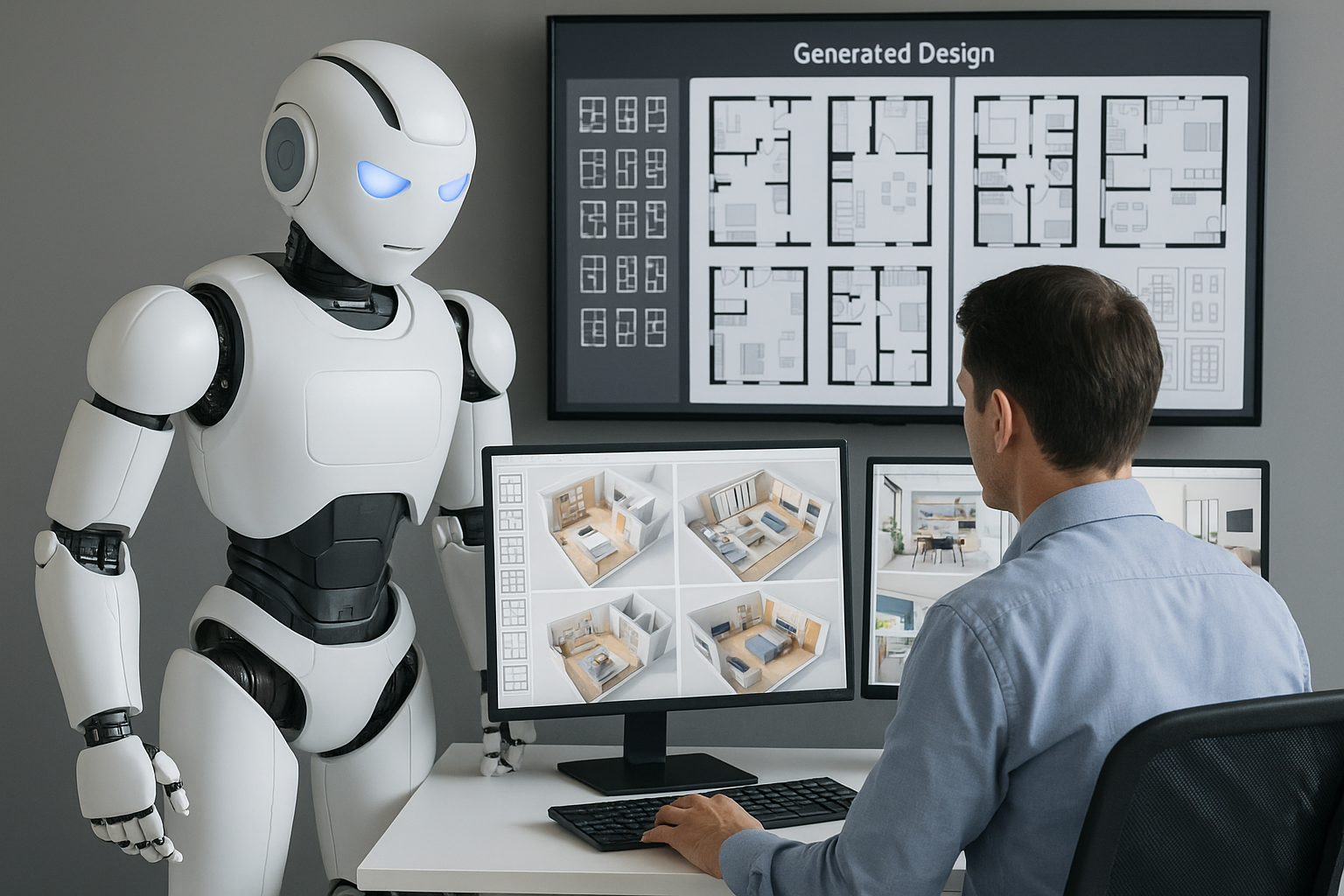
Small residential: feed site and room sizes to an AI assistant, get several footprints, pick the one that fits zoning and structure, finish it in CAD. Half-day becomes an hour.
Interior refresh: the same room is restyled three ways — light timber, darker stone, budget version. Clients choose faster. This matches the workflow in AI in interior and furniture design.
BIM-heavy projects: AI helps create consistent view names, report text, and simple issue logs. BIM stays the source of truth; AI keeps the admin light. For linking both worlds, see BIM and AI: design tomorrow today.
Weak spots you still have to watch
AI is not perfect, and some parts always need human review:
- Pretty AI images that ignore structure and services.
- Overfitting to a style that looks copied instead of designed.
- Made-up material names or sizes that don’t exist locally.
- Unclear data privacy on public tools.
- Too many options with no professional selection.
For wider context on the direction of AI in the field, see future directions for AI in architecture.
Reference
For ethics, practice, and research together, see AI in Architecture companion volume.
What happens if you ignore it
AI features are being added to BIM, design platforms, and renderers. New staff will expect to use them. Teams that block AI will look slower. Slower teams lose proposals.
Learning the basics is easier than learning full BIM. Most tools accept normal instructions. For help with prompts and everyday studio tasks, see ChatGPT for architectural tasks.
AI for building performance
AI becomes especially useful when buildings have to perform better. It can compare orientations, glazing and shading choices, and simple envelope strategies early — before full MEP. Combined with the ideas in AI for building design, it lets a designer show an owner which option is more efficient before documentation.
On existing buildings, AI can read sensor or BMS data and flag rooms that overheat, systems that run too long, or zones that never get used. That turns “we designed it” into “we can optimize it.”
Portfolio-scale view
For large owners or public clients, AI for the built environment is useful for explaining building- and city-level uses.
AI and responsibility
A short, usable rule set keeps projects safe:
- Say when an image was AI-assisted.
- Don’t upload sensitive client drawings to public tools.
- Check AI-supplied performance numbers in the firm’s own software.
- Keep a human as the final decision maker.
This matches the practice tone in general AI in architecture, design and building.
Client-facing “wow” workflow
One sequence that works well on small projects:
- Photograph the existing space.
- Run the images through an AI restyle tool.
- Generate three visual directions (for example: light, warm, budget).
- Choose the version that fits the brief.
- Recreate that version in Revit, Archicad, SketchUp or similar.
- Send a before/after PDF.
For showing the final, built version of the space, see presentation and rendering techniques.
FAQ
Do I have to learn every AI tool?
No. Learn one text AI, one image AI, and how to connect them to your BIM or CAD. That covers most daily tasks.
Will AI replace conceptual design?
No. It will help explore options. It will not know local politics, client fears, or what the planning officer will reject.
Can I show AI images to clients?
Yes. Label them as fast visuals and show the more formal version from AI-supported renderings when it’s ready.
What about students?
Students can use AI for research, image testing, and faster narratives, but they should still learn drawing and modeling. A good base is Drawing Architecture.
How do I stay ahead?
Add one AI-supported task per week — brief cleanup, schedule wording, image polish. Small steps add up fast.
Closing
AI in architecture right now is a speed tool, not a replacement. It clears setup work, writing work, and presentation work so designers can spend more time on site, on clients, and on form. People who use it will look organised and fast. People who refuse it will look slow in a field that is getting quicker every year.