

Architecture Student Materials: Full List for First-Year and Beyond
What Materials Do Architecture Students Actually Need?
Full materials list for architecture students: pens, paper, cutting tools, drawing gear, model supplies, and digital equipment for school and studio.
What You’ll Actually Need
Architecture school doesn’t care if you show up with the best sketchbook or a $200 pen. What matters is that you can think, draw, and make.
But the right materials do help. Fast. Clean. Reliable.
This isn’t a wishlist. It’s a real breakdown of what you’ll use—day one, mid-semester, and all through your degree.
What Professors Actually Notice in Your Tools and Models
Most students think it's about the gear. It's not. It’s what your tools say about how you work.
How materials shape perception and how professors read your decisions.
1. Blade Marks Show Panic
If your model edges look torn, it screams last-minute. Dull blade = rushed mind. Sharp blade = clean thought.
What to do: Always use fresh blades. Cut slow. Use guides. You’re not slicing pizza.
2. Messy Glue = No Control
Sloppy glue jobs tell your critic you can’t handle materials—or pressure.
What to do: Practice glue technique. Tiny amounts. Apply with toothpick. Press and let dry. Never smear.
3. Overbuilt Models = Insecurity
If your draft model looks like a final one, you're hiding. Professors want process, not polish.
What to do: Use cheap, fast materials to show ideas. Save clean craft for final.
4. Unused Tools = Weak Judgment
Bringing a full tool kit but only using 3 things tells them you don’t edit your approach.
What to do: Know your tools. Bring what’s needed. Leave what’s noise.
5. Paper Choice = Design Thinking
Using thick vellum for every sketch or shiny board for basic layouts? That’s ego over clarity.
What to do: Match material to message. Tracing paper = iteration. Matte board = clean final. Don’t over-style.
6. Model Base = Intent
Plopping a model on the desk vs. placing it on a clean base with a scale tells the critic whether you respect the project.
What to do: Mount on a board. Add scale figures. Let the model breathe.
7. Pen Pressure = Control
Shaky, heavy lines = tension. Thin, smooth lines = trained hand.
What to do: Practice line weights. Draw slow. Warm up hands before long sketches.
8. Your Toolkit Is a Self-Portrait
Dusty knife. Ink stains. Broken zip case. It tells them if you take yourself seriously.
What to do: Clean your tools. Organize them. Show you care about how you work—not just what you make.
This Is What Separates a Tool-Owner from a Designer
It’s not about how many supplies you carry. It’s about how you use them—and what that says about your thinking.
You’re not being graded on the tool. You’re being graded on the thinking behind the tool.
Don’t forget that.
→ How We Keep This List Real and Up to Date
We pull from real school supply lists: UF, Columbia, Jefferson, SCI-Arc, MIT, Yale, Pratt, Bartlett, and more.
We track what they assign, what students actually use, and update it each semester.
First-Year Architecture Student Essentials
Best Bags for Architecture Students
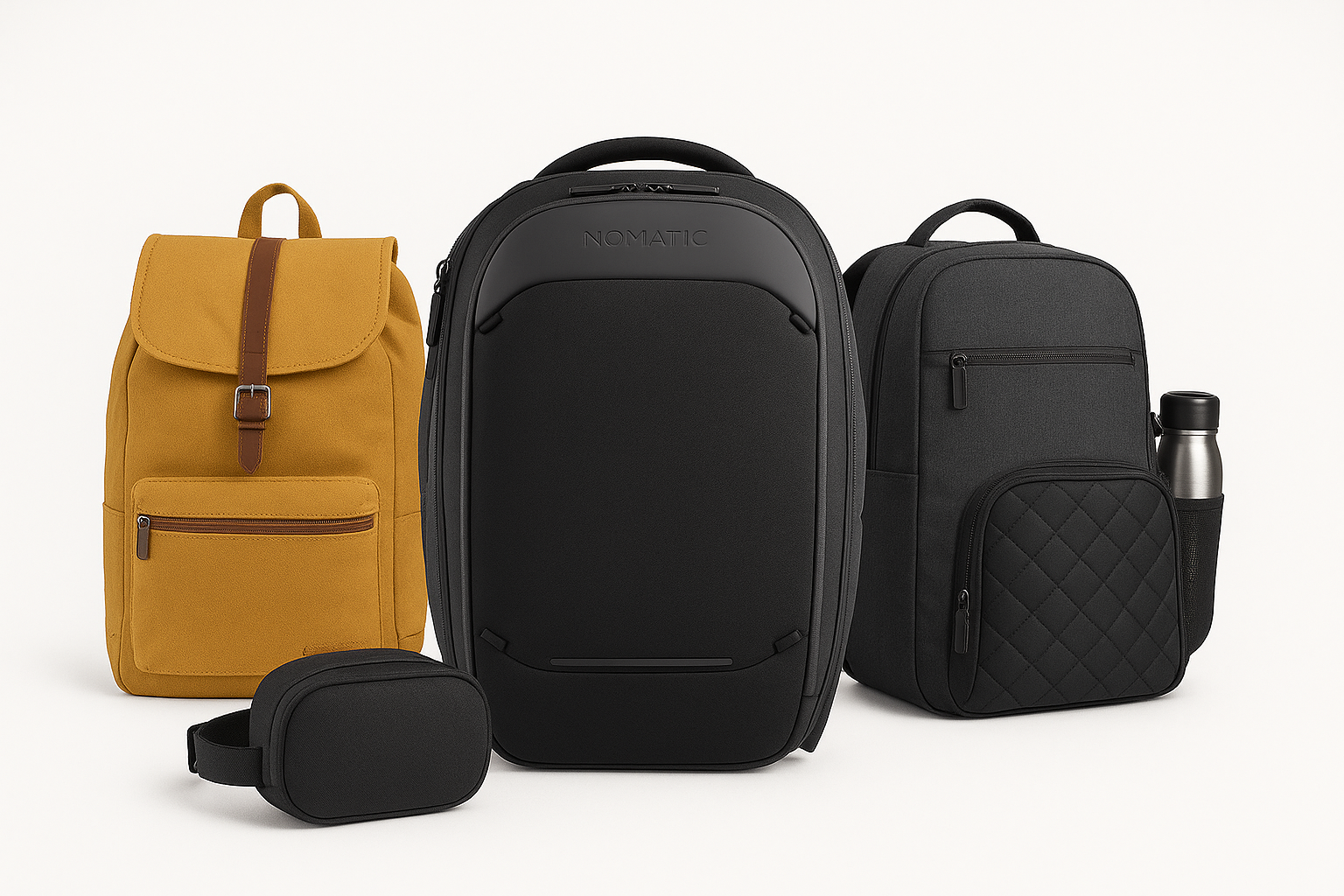
1. Nomatic Navigator Backpack 32L
★ Built tough, expandable, and well-organized
This is the kind of bag you can load without worry. Expands to 32L, so it swallows thick sketchbooks and small models. The laptop sleeve takes up to 17". You get a magnetic water bottle pocket, hidden RFID compartment, and a shell that can handle rough studio life.
2. The North Face Surge Backpack
★ Solid frame with real back support
If your commute means walking or cycling, this is a dependable choice. The FlexVent suspension keeps weight balanced, and the structure holds its shape under load. Plenty of compartments for tech, drawing tools, and studio essentials—without bending your sheets.
3. Bellroy Transit Workpack
★ Minimal look, smart function
At 20L, this isn’t for heavy studio days—but it’s perfect when you’re splitting gear between a bag and a drawing tube. Premium feel, clean shape, and a laptop sleeve that sits snug against your back. Ideal for critiques, interviews, or urban commuting.
4. Thule Subterra Backpack 34L
★ Designed for fast access and tool organization
Shock-protected laptop compartment, plus both top-loading and side zips so you can reach gear without unpacking everything. The structure is clean and sturdy, making it a good fit for students who need order in the middle of chaos.
5. Nomad Lane Bento Bag (Best for travel and presentations)
★ Compact, structured, and professional
This one’s made for competitions, site visits, or trips—when you need cables, pens, and devices packed neatly. Slides under an airplane seat. Not big enough for everyday studio hauling, but perfect when you want to arrive looking organized.
See also: Best Bags for Architecture Students: Sketchbooks, Laptops, and More
First-Year Architecture Materials: What You’ll Really Use
Your first year is about foundations: drawing, model-making, studio work, and concept building. Here's what you’ll actually need.
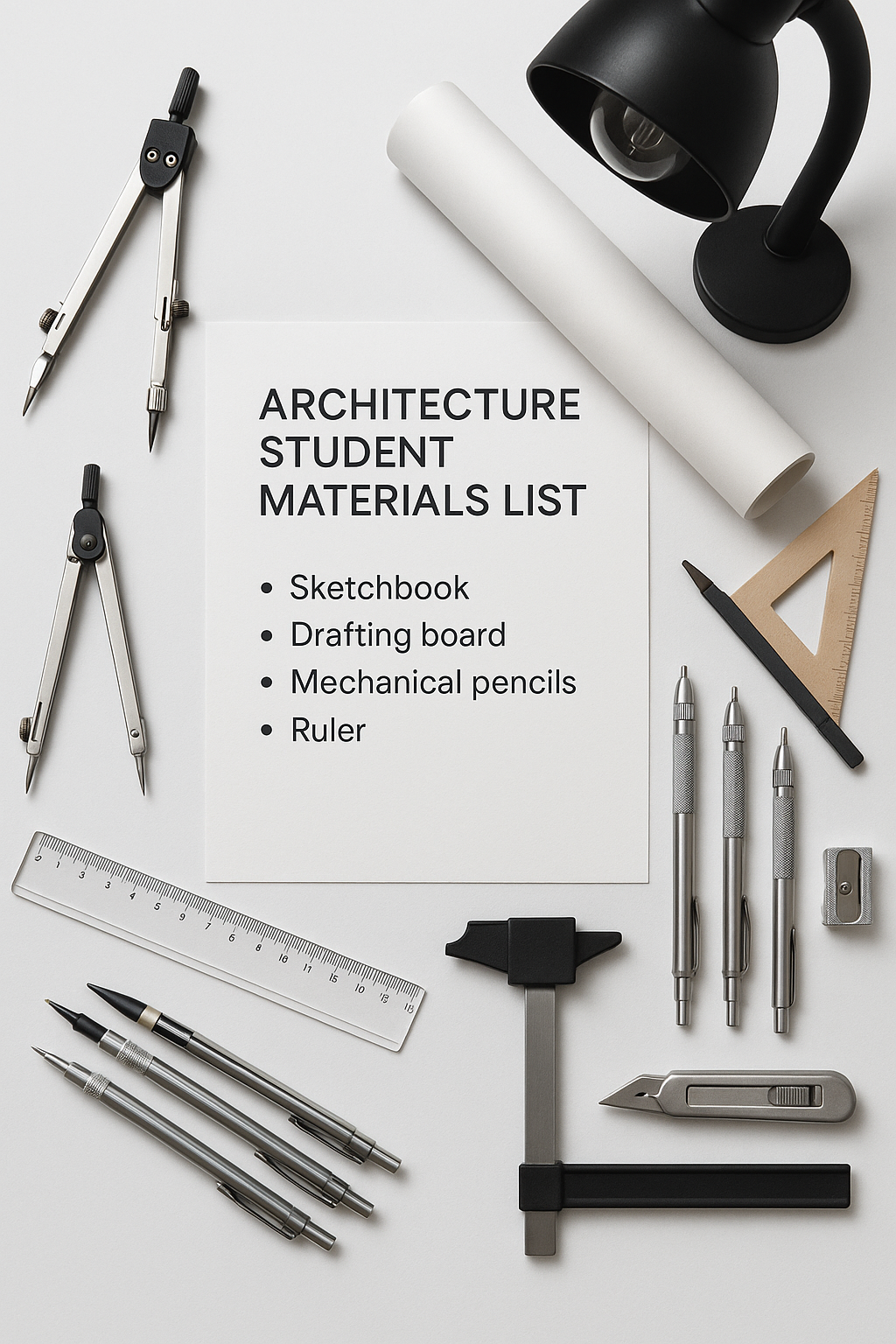
Architecture School Starter Kit: Year One
● Sketchbooks
✓ Size: A3 or 11x17”
✓ Use: Concepts, doodles, process
▪ Go with thick paper (at least 120gsm) for ink and markers.
▪ MUST BUY
Canson XL Mixed Media Pad
Cheap, durable, handles ink and pencil well.
→ Buy on Amazon
● Technical Pens
✓ Types: 0.1mm, 0.3mm, 0.5mm
✓ Use: Line work, diagrams, overlays
▪ Stick to brands like Micron, Staedtler, or Rotring.
● Mechanical Pencil
✓ Size: 0.5mm with HB or 2B leads
✓ Use: Drafting, notes, fast sketches
● Erasers
▪ Vinyl (for clean lines)
▪ Kneaded (for sketch cleanup)
● Scale Ruler (Architect’s Scale)
✓ 3-sided triangular scale
✓ Make sure it includes 1:100, 1:200, 1:50
● Cutting Mat
✓ Size: A2 or larger
✓ Use: Model-making, clean cuts, protects your table
● Metal Ruler (With Cork Backing)
✓ Don’t get plastic. It melts under blades.
● X-Acto Knife + Blades
✓ No fancy knives needed.
✓ Always have spare blades. Dull blades ruin models.
▪ FIELD PICK
Olfa Precision Cutter
Sharp, lightweight, great for small detail.
→ Buy on Amazon
● Glue
✓ Types: PVA (wood glue), UHU (general), Superglue (quick fix)
✓ For models: Use glue sparingly. Messy glue = failed review.
● Drafting Tape or Dots
✓ For mounting work on presentation boards
✓ Avoid scotch tape. It stains.
✓ MUST HAVE
5-Minute Sketching: Architecture – Liz Steel
Fast, real sketching tips that help in studio. Use it to improve speed and clarity.
→ Buy on Amazon
Model-Making Materials for Architecture Students
Every architecture student needs to model—physical, not just 3D.
These are the go-to materials that most studios and professors expect you to use.
Model-Making, Drawing, and Drafting Supplies for Architecture Students
● Foam Board (5mm or 3/16")
✓ White or black
✓ Cuts clean, good for fast form models
● Basswood or Balsa Wood
✓ Use: Final models, structure, façade
✓ Thin sheets: 1/16", 1/32", 1/8"
● Chipboard or Greyboard
✓ Cheap, used for massing or quick studies
● Museum Board or Bristol Board
✓ Use: Clean final models
✓ Comes in various thicknesses
● Acrylic or Plexiglass Sheets
✓ Use: Façade models, transparency studies
✓ Needs scoring and clean snapping
● Wire (Aluminum or Copper)
✓ Use: Structural elements, details
✓ Comes in rolls or rods
● 3D Printing Filament (PLA or Resin)
✓ If your studio uses 3D printers, get familiar with your machine and materials early.
✓ MUST HAVE
Model‑Making Materials and Methods — David Neat
The go-to book for clean, accurate model making. Covers everything from materials to detailing.
→ Buy on Amazon
▪ MUST READ
Guide: Architectural Model Making: Materials, Techniques & Best Practices
→ [Read it on architecturecourses.org]
Digital Tools and Devices for Architecture Students
Architecture Student Equipment Checklist (First Year + Advanced Tools)
Eventually, you’ll move from paper to pixels. These are the tools that matter.
● Laptop or Desktop
✓ Minimum: 16GB RAM, i7 or M1 chip, 1TB storage
✓ Use: Rhino, Revit, SketchUp, V-Ray, AutoCAD, Adobe Suite
▪ If you’re serious about rendering, go PC or MacBook Pro with a high-end GPU.
▪ MUST READ
Guide: Best Laptops for Architecture Students 2025
→ [Read it on architecturecourses.org]
● Mouse + Shortcut-Ready Keyboard
✓ Avoid trackpads for CAD work.
✓ Wired or wireless is fine, just be responsive.
● External Monitor
✓ Helps when working on detailed drawings or rendering.
✓ At least 24", 1080p or 4K.
● Drawing Tablet (Optional)
✓ Wacom or Huion
✓ Great for digital sketching or Photoshop work
● Portable Hard Drive or SSD
✓ Always back up your projects. Trust us.
● USB + Cloud Storage
✓ Flash drives for quick file sharing
✓ Google Drive, Dropbox, or OneDrive for remote access
Drafting and Studio Tools
Most studios still teach basic manual drafting. These tools will help even in a digital workflow.
● T-Square or Parallel Bar
✓ Use: Straight lines on drafting tables
✓ Only needed if required by your school
● Adjustable Triangle (30/60, 45)
✓ Transparent and durable
✓ For measured angles and vertical lines
● Compass and Circle Templates
✓ Use: Site plans, axonometric diagrams
● French Curves or Flexible Curve
✓ Use: Organic form drawing, section transitions
Presentation + Portfolio Materials
Eventually, everything gets pinned up, critiqued, or submitted. These help make your work clean and professional.
● Presentation Boards
✓ Foam core or matte boards
✓ Stick to black, white, or neutral tones
● Binder or Portfolio Case
✓ For transporting physical sheets
✓ Buy one large enough for A2 or A1 sheets
● USB/Flash Drive
✓ Always carry one with your latest files
● Document Tube (for rolled prints)
✓ Use: Site drawings, large format prints
✓ Most studios expect printed boards for reviews
Print and Paper Types
You’ll deal with dozens of paper types. Know what each one is for.
● Tracing Paper
✓ Use: Iterations, overlays, detail studies
✓ Comes in rolls or pads
● White Bond Paper
✓ Use: Drafts, practice drawings
● Vellum
✓ For sharp ink drawings
✓ Used in final drafts before digital scanning
● Cardstock
✓ Use: Concept models, physical diagrams
Optional but Helpful Extras
Not mandatory, but they’ll make your life easier.
▪ Model clamps or weights
▪ Spray adhesive
▪ Foam cutter
▪ Laser cutter credits or access card
▪ Camera or smartphone with decent resolution (for photographing work)
Architecture Student Supplies That Actually Matter (From Sketch to Studio)
Architecture student supply guide with real materials, tools, and essentials for first-year and advanced design work. Model-making, drawing, and studio picks.
Mistakes First-Year Architecture Students Make with Materials
● Overbuying stuff you won’t use.
You don’t need a $200 marker set in week one. Start with black, gray, and 1–2 colors.
● Ignoring material quality.
Cheap knives break. Bad paper bleeds. Don’t buy bottom-shelf tools if you’re using them daily.
● Not labeling your tools.
People “accidentally” take rulers, triangles, and pens all the time in studio.
● Using the wrong glue.
PVA takes time to dry. Superglue fogs acrylic. Match glue to material.
● Waiting to buy digital tools.
If your school starts with Rhino or AutoCAD right away, get your laptop in week one. Don’t fall behind.
Innovation in Architecture Tools: What Students Are Actually Using Now
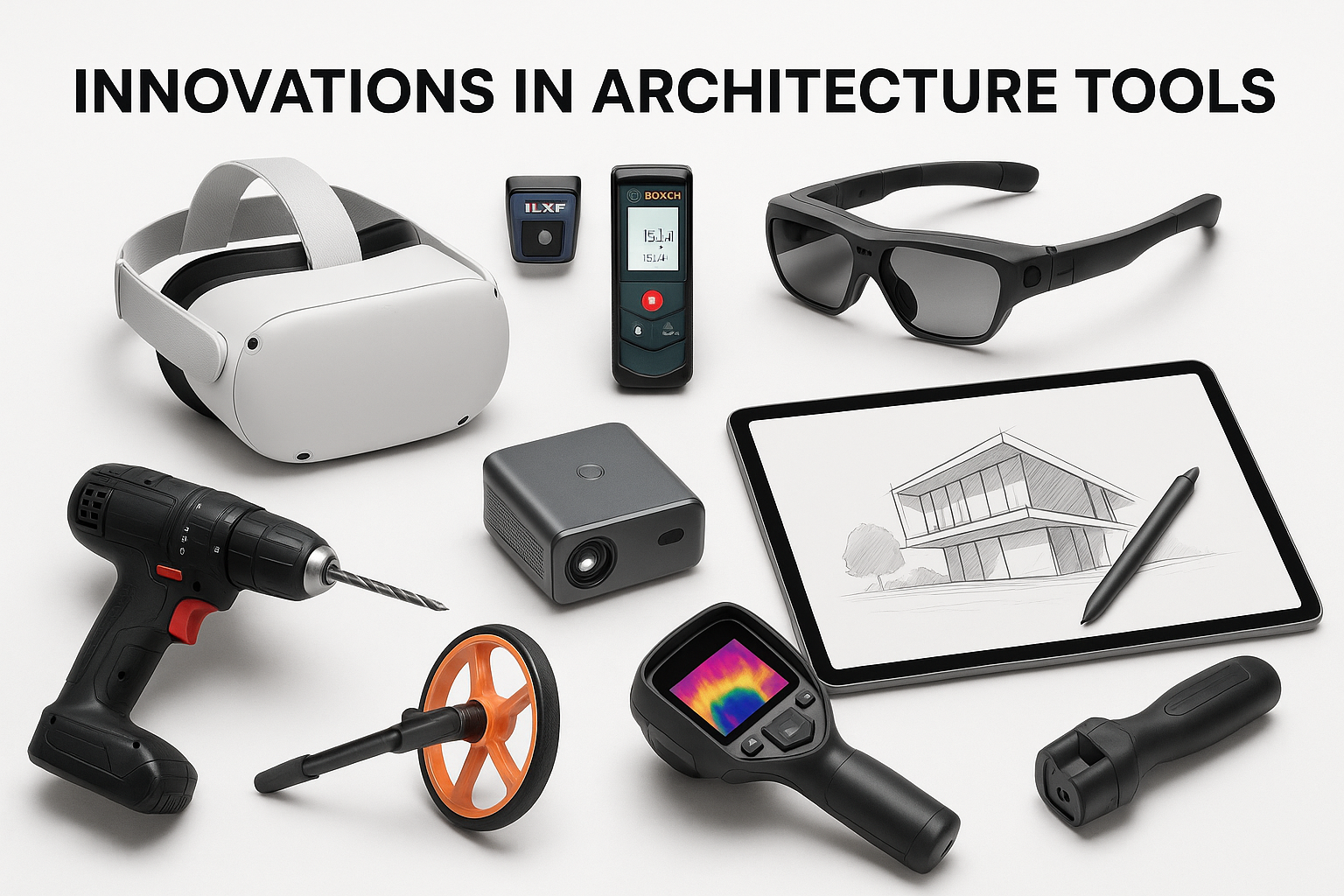
Studio tools are changing. Fast. What used to need a lab or a budget now fits in your backpack. Or it should.
What’s Already in Use
1. Compact Laser Cutters and Vinyl Machines
Students are using small Cricuts and diode lasers for fast façade tests, massing blocks, and etched textures.
✓ Precise. Repeatable. No more shredded foam core.
2. iPad with LiDAR for On-Site Sketching
One device can scan a site, sketch over it in Procreate, and export to Rhino or Revit.
✓ Replaces your camera, scanner, and sketchbook in one shot.
3. VR Walkthroughs Made in Studio
With Enscape or Twinmotion, students build walkthroughs of their own designs and view them in VR headsets.
✓ Critics now walk through your space instead of pointing at floor plans.
4. Magnetic Base Models
Snap-fit site pieces. Swappable massing blocks. No need to rebuild every time you make a change.
✓ Show options on the fly. Save time and material.
What’s Next
1. AI Sketch Tools That Stay in Your Control
Apps like Morpholio and uMake help you clean up geometry, mirror shapes, or test simple forms.
✓ They support your thinking. They don’t replace it.
2. Bio-Based Model Boards
Materials like mycelium foam and cornboard are already in use at Bartlett and MIT.
✓ Low-waste. Laser-cuttable. Studio-approved.
3. Augmented Reality on Site
Phones and tablets can now overlay your model on a real-world site.
✓ Walk clients through your design at actual scale. No guessing.
4. Reusable E-Ink Drafting Surfaces
Still in development. Think digital sketchpad that saves layers, handles pen pressure, and never runs out of pages.
✓ Sketch. Revise. Keep everything in one place.
Tools don’t design for you. But they show how you think.
If your studio still smells like glue and foam dust, but you’re presenting clean scans, smart cuts, and real VR, you’re ahead.
By the time your professor sits down, your setup shows how you work before you even speak.
Pro Tips from Real Students
● “I used the same 0.5mm pencil and Microns for 3 years. Don’t waste money trying to look ‘pro’ in first year.”
– Daniel R., Toronto
● “Basswood is expensive. Use chipboard until your professor says to clean it up.”
– Lina H., Chicago
● “Keep all your old sketchbooks. They’re ugly, but professors love seeing progress.”
– Zain A., London
How to Apply This: Checklist
✓ Get basic tools first: sketchbook, pen, pencil, knife, scale
✓ Watch what others are using—don’t overbuy
✓ Organize your tools in a simple carry case
✓ Keep digital and physical work synced (Google Drive helps)
✓ Label everything. Architecture studios are like tool jungles.
KEEP LEARNING
Best Book to Learn Model-Making Techniques
Architectural Modelmaking
Covers clean techniques, materials, scale, and process. Used in real studio courses.
→ Buy on Amazon
FAQs
Basics & First-Year Materials
1. What materials do I need for first-year architecture?
Sketchbook, scale ruler, cutting mat, technical pens, mechanical pencil, X-Acto knife, glue, tracing paper, and chipboard. That’s your core.
2. Do I need to buy everything before the first class?
No. Wait for the syllabus or first studio session. Some tools can be shared or borrowed.
3. Should I get a big drawing board?
Only if required. Most schools provide studio tables. Portable boards work fine.
4. What type of sketchbook is best?
A3, spiral-bound, 120gsm minimum. Mixed media works best for ink and pencil.
5. Are expensive pens worth it?
No. Get Microns or Staedtler to start. You’ll wreck them early anyway.
6. How many sketchbooks do I need in a year?
2–4. Depends how much you draw. Save them all.
7. Can I use regular paper instead of tracing paper?
Not really. Tracing paper lets you layer and iterate. It’s part of the process.
8. Do I need markers in first year?
Only black, gray, and 1–2 colors. Don’t buy the full set unless you’re into rendering.
Drawing, Drafting, and Tools
9. Do I need a compass or French curves?
Maybe. Some hand-drafting classes require them, but you won’t use them daily.
10. What scale ruler do architecture students use?
3-sided architect’s scale. Get one with 1:100, 1:200, 1:50.
11. What’s the best mechanical pencil for architecture students?
Any 0.5mm with HB or 2B lead. Don’t overthink it.
12. Do I need both pens and pencils?
Yes. Pencil for rough work, pens for clean lines or overlays.
13. Are digital pens or Apple Pencils allowed?
Yes, for digital sketching or iPad workflows. Depends on your studio.
14. Is AutoCAD used for hand-drafting?
No. CAD is digital. Hand-drafting uses pencils, triangles, and T-squares.
15. What’s the cleanest eraser for technical drawings?
White vinyl eraser for precision, kneaded for graphite sketches.
16. What size cutting mat is best?
A2 or larger. A3 is too small for models.
Model-Making Materials
17. What’s the cheapest model material for massing?
Chipboard or cardboard. Don’t waste basswood on early drafts.
18. Is foam board good for architecture models?
Yes. Use 5mm white foam board for clean massing.
19. What’s the difference between balsa and basswood?
Basswood is harder, cleaner, and better for final models. Balsa is cheaper and softer.
20. Can I cut acrylic with a regular knife?
You can score and snap thin sheets. Thick sheets need a laser cutter or saw.
21. Which glue is best for architecture models?
Depends. UHU for general use, PVA for wood, superglue for fast fixes.
22. Do I need a hot glue gun?
Rarely. It’s messy and imprecise. Not good for clean models.
23. Where do students buy model materials?
Art supply stores, hardware shops, Amazon, or school supply centers.
24. What tools are good for curved model forms?
Wire, foam, or laser-cut layered sheets. Also foam core + sanding.
Digital Tools & Equipment
25. What’s the best laptop for architecture students?
At least 16GB RAM, i7 or M1, 1TB storage. Handle Rhino, Revit, Adobe Suite.
26. Do I need a mouse for architecture software?
Yes. Trackpads slow you down in CAD or 3D.
27. Should I get a drawing tablet?
Optional. Useful for Photoshop, Illustrator, and sketching. Not required for everyone.
28. What size monitor is best for architecture work?
24" or bigger. Helps for rendering and detail work.
29. What architecture software is used in first year?
Usually Rhino, AutoCAD, SketchUp, and Adobe tools. Some use Revit early.
30. Do I need Revit in first year?
Rarely. Most schools introduce it later. Learn Rhino and SketchUp first.
31. Do I need a 3D printer?
No. Your school likely has one. Learn how to prep files instead.
32. What cloud storage do architecture students use?
Google Drive and Dropbox are most common. Sync everything.
Studio Workflow & Presentation
33. What size prints are used for architecture reviews?
A1 or A2 boards, depending on studio. Always check the brief.
34. Is hand-drawing better than digital work?
Depends on the assignment. Both are important.
35. What’s the best way to present a final model?
Mounted on a clean baseboard, no glue mess, proper scale.
36. How do you photograph models for portfolio?
Neutral background, daylight or soft light, clean shots with tripod or stable phone.
37. Do I need a portfolio case?
Yes. A1 or A2 size, zipper or binder. Use it for crit days and reviews.
38. Is printing at home practical for architecture school?
Only for small stuff. Big format prints need a print shop or studio printer.
39. How do I label drawings for crits?
Title, scale, north arrow, and your name. Keep it clean and legible.
40. Can I reuse model parts between projects?
Sometimes. But don’t show reused pieces at final review—it looks lazy.
Money, Organization & Strategy
41. How much do architecture student supplies cost per year?
$300–$1000, depending on how frugal you are and how many models you build.
42. Can I share tools with other students?
Yes. Cutting mats, rulers, and glues are often shared in studio.
43. What’s the best way to organize tools?
Toolbox or hard zip case. Label everything.
44. Are supply kits sold by architecture schools worth it?
Sometimes overpriced. Compare each item to what you actually need.
45. Should I buy used tools or supplies?
Yes, especially big items like monitors, tablets, or cutting mats.
46. How do I carry supplies between home and studio?
Use a sturdy backpack, portfolio case, or rolling tote.
47. What should I always carry in studio?
Knife, scale ruler, pencil, glue, eraser, pen, tracing paper.
48. How do I keep my workspace clean?
Tray for small tools, cutting mat always on desk, wipe glue immediately.
49. How do I avoid losing stuff in shared studio?
Label with tape or marker. Keep duplicates of essentials.
50. What’s the most important supply students forget?
Spare blades for your knife. And a working USB stick with your files.