
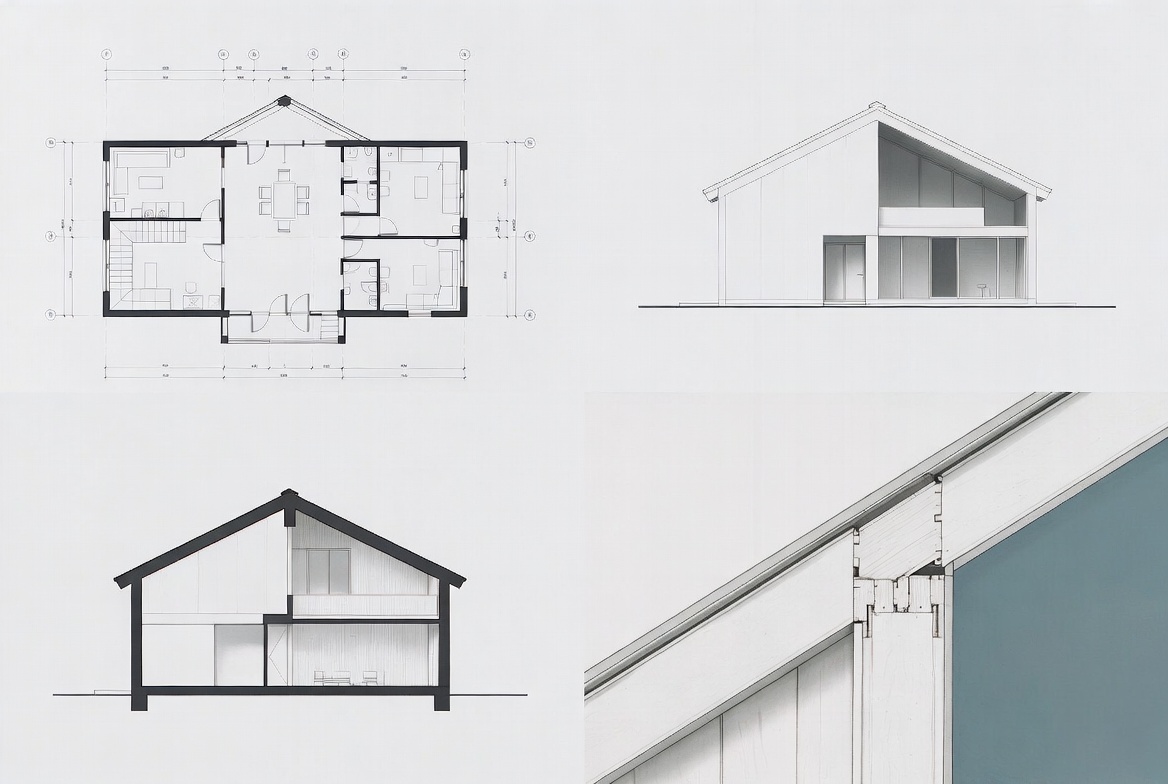
Blueprints feel chaotic when you do not know the sheet order.
A full set drops you into site notes, plans, elevations, sections, details, schedules, structural sheets, and mechanical sheets all at once. The real problem is usually not the drawing itself. It is not knowing how the set is organized.
Learn that first, and the set gets a lot easier to read.
If you want the deeper reading side after this, go next to How to Read Blueprints. If you need the drawing vocabulary first, keep Architectural Drawing Symbols nearby while you work.
Before You Start Clicking Random Sheets
If you open a set cold, these are the things that usually matter first:
- what people mean when they say “blueprints”
- the difference between one drawing and a full plan set
- the main sheet types in a construction set
- how sheet numbers and discipline letters are organized
- the best order to open a set without wandering around
- why title blocks, issue dates, and revision clouds matter more than beginners expect
- where people usually get turned around
What People Mean by Blueprints
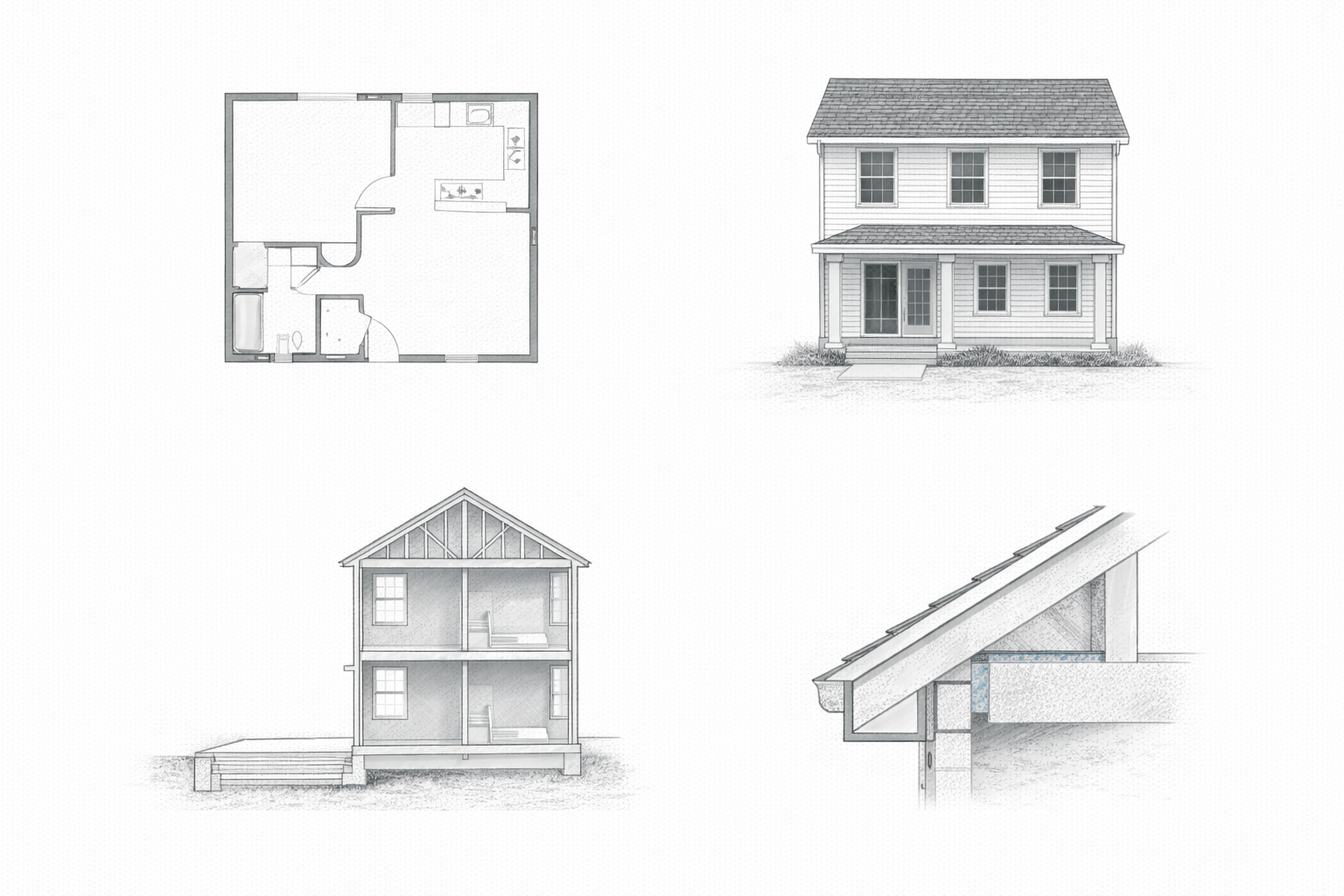
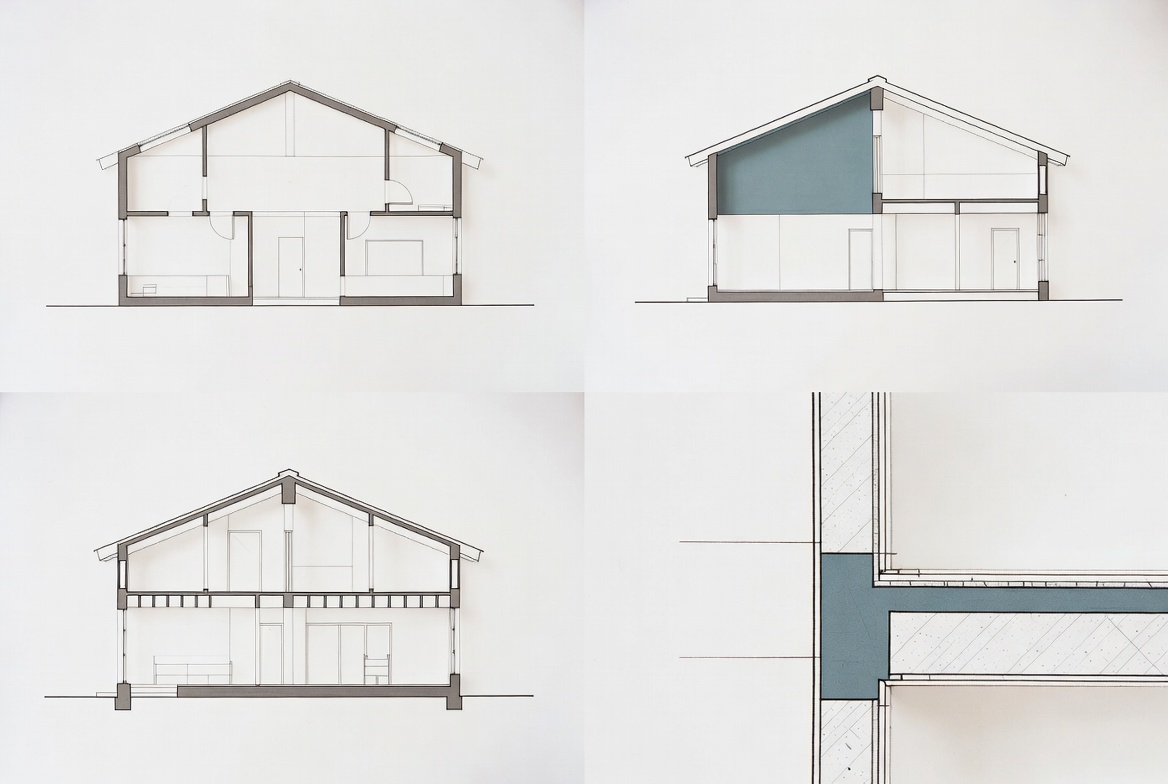
Illustration by ArchitectureCourses.org. Blueprint drawing set showing how a floor plan, exterior elevation, section cut, and construction detail describe the same house in different ways.
People still say blueprints even though the drawings are not blue anymore and have not been for a long time. In normal use now, the word usually means the construction drawings or the drawing set for a project.
That set is the graphic side of the job. It shows size, location, layout, relationships, and assembly intent. Walls, doors, stairs, structure, equipment, dimensions, notes, and references to other sheets. It tells the team what goes where and how the parts are supposed to relate.
One thing matters right away: a blueprint is almost never just one page. On real jobs, it is a coordinated set. That is why people get confused when they try to understand the project from a single floor plan.
If you want the wider document picture beyond drawings, use Components of a Construction Document Set. It helps separate drawings from specs, addenda, schedules, and the rest of the paper trail around them.
One Sheet Never Tells the Whole Story
This is the part beginners miss first.
A floor plan is not the project. An elevation is not the project. A reflected ceiling plan is not the project either. Each sheet answers a different question, and you usually need several of them working together before the building starts to make sense.
The floor plan tells you where things sit.
The elevation tells you what a face looks like.
The section tells you how parts stack vertically.
The detail tells you how a small piece is actually put together.
The schedule tells you which exact item was intended.
That is why a plan set feels messy when you are new. It is one building explained in fragments.
The Sheets You Usually See in a Construction Set
| Sheet type | What it usually answers | What to look at next |
|---|---|---|
| Cover sheet | Project name, sheet index, general notes, code summary, drawing list | Main plans and discipline list |
| Site plan | Where the building sits on the lot, setbacks, grading, access, utilities | Foundation or ground-floor plan |
| Floor plans | Room layout, walls, doors, stairs, dimensions, main organization | Elevations, sections, door and window schedules |
| Elevations | What a wall or building face looks like vertically | Sections and details |
| Sections | How floors, walls, roof, and structure stack through the cut | Enlarged details |
| Details | How specific pieces connect or get built | Related plans, specs, and consultant sheets |
| Schedules | Exact door, window, finish, equipment, or room data | Plans where those items appear |
| Structural sheets | Foundations, framing, beams, joists, slabs, structural notes | Architectural plans and sections |
| MEP sheets | Mechanical, electrical, plumbing, fire protection, and controls | Ceiling plans, equipment schedules, and coordination points |
If you want the wider category list, see List of Architectural Drawings. That page helps once you start running into sheet types that sound familiar but are doing different jobs.
How Sheet Numbers Usually Work
Most sets are organized by discipline first, then by sheet number.
You will often see prefixes like these:
| Prefix | Usually means | What is commonly inside |
|---|---|---|
| A | Architectural | Plans, elevations, sections, details, schedules |
| S | Structural | Foundations, framing, beams, slabs, structural notes |
| M | Mechanical | HVAC layouts, equipment, ductwork, controls |
| E | Electrical | Power, lighting, panels, devices, circuits |
| P | Plumbing | Water, waste, venting, fixtures, piping |
| FP | Fire protection | Sprinklers, alarms, related coordination drawings |
| C | Civil | Site grading, drainage, utilities, roadwork |
| L | Landscape | Planting, paving, site elements, exterior layout |
Then the numbers sort the sheets inside that discipline. A101 might be a floor plan. A201 might be elevations. A301 might be sections. A501 might be details. It is not universal, but the logic is usually close enough that you can find your footing once you know the pattern.
That matters because a plan set gets easier once you stop thinking of it as one long PDF and start thinking of it as grouped conversations.
Do Not Skip the Title Block
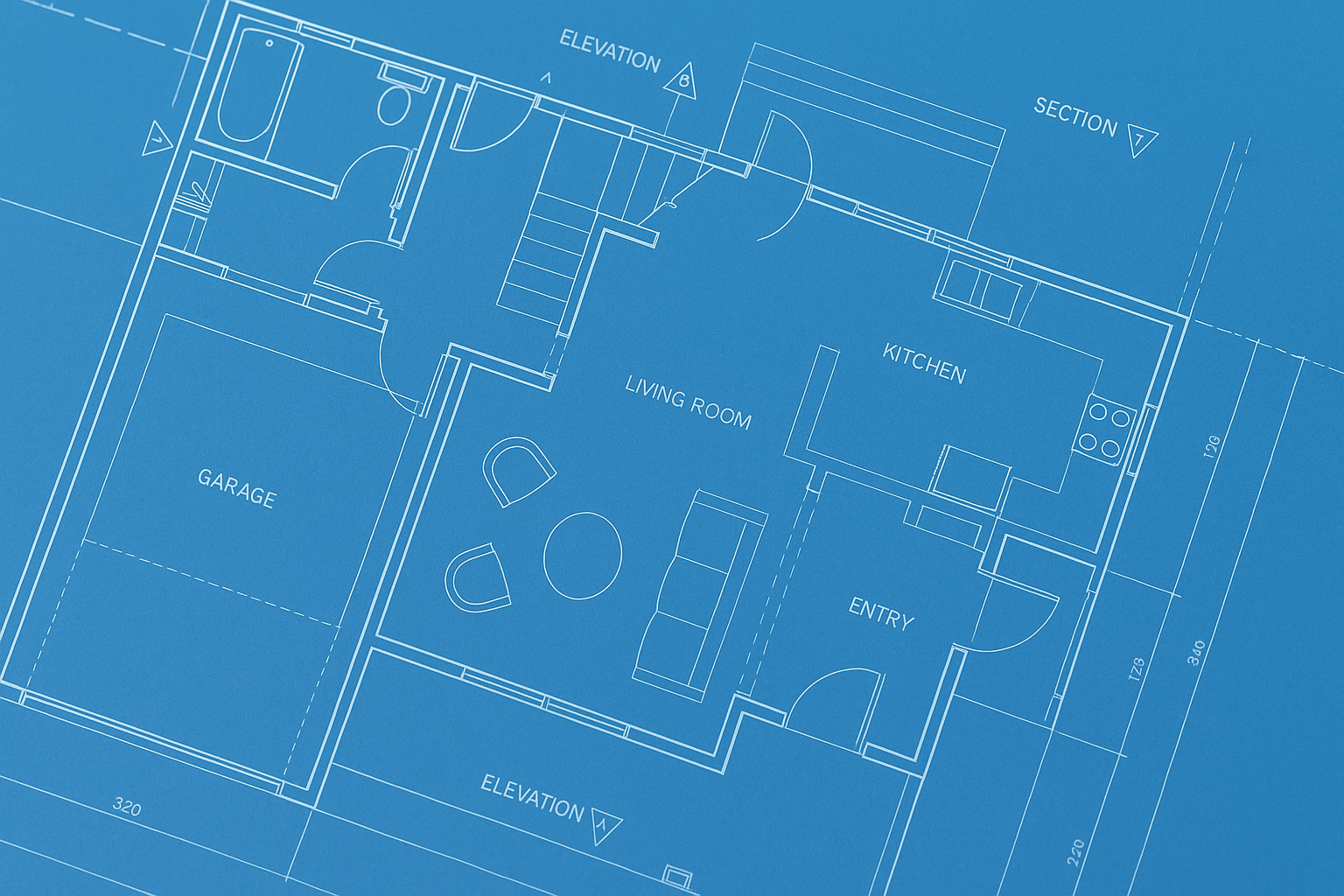
This is one of the fastest ways to stop making avoidable mistakes.
Before you trust a sheet, check the title block. Look at the sheet number, sheet title, issue date, and revision status. A lot of confusion on real jobs comes from reading the wrong version, especially when someone printed an older set, saved a stray PDF to a desktop, or kept looking at a sheet that was already revised.
Revision clouds matter too, but only if you are sure you are looking at the latest issue. Otherwise you can end up chasing an old change and missing the current one.
So before you study the drawing itself, make sure you know exactly which sheet you are holding and whether it is still current.
A Simple Way to Open a Set Without Getting Lost
Most people start in the wrong place. They jump straight into a random plan sheet and then wonder why the references feel broken.
A cleaner order looks like this:
- Start with the cover sheet and sheet index.
- Check the title block, issue date, and revision status.
- Find the code notes, general notes, and key project data.
- Move to the site plan if the project has one.
- Read the main floor plans.
- Open the elevations and sections tied to those plans.
- Follow the callouts into enlarged plans and details.
- Check the schedules for doors, windows, rooms, or finishes.
- Only then start comparing consultant sheets.
That order will not make you an expert overnight. It will stop the basic kind of confusion where you are staring at a door tag with no idea which schedule it belongs to.
If you want help with one of the most common schedule types, keep Door and Window Schedule open beside the set. That is a frequent failure point on student work and real jobs both.
Where People Usually Get Turned Around
Same few problems, over and over.
- They read one floor plan and assume they understand the wall build-up.
- They ignore the cover sheet and miss the actual sheet index.
- They follow an old revision cloud without checking the latest issue.
- They look at the architectural sheet and forget the structural or mechanical sheet may change the story.
- They see a callout bubble and never bother to chase the referenced detail.
- They confuse a schedule note with something that was actually drawn.
The ugly version of this on real jobs is expensive. Wrong opening size. Wrong hardware set. Wrong ceiling height. Wrong wall thickness. Same building. Different sheet. Missed connection.
Blueprints on Paper, PDFs, and BIM Models
One quick correction here. When people say blueprints now, they often still mean digital drawing sets.
Most current projects are reviewed as PDFs, cloud sets, or model-linked documents. The old blue-paper reproduction method is part of the history, not the normal workflow. The term survived. The medium changed.
That means modern plan-reading problems are a little different too. You are just as likely to miss a revision note in a PDF set or read the wrong file version as you are to misread an old printed sheet.
Version control causes more trouble now than the color of the paper ever did.
House Sets and Commercial Sets Read Differently
A small house set is usually leaner. Fewer consultants. Fewer systems. Fewer sheets. You can often hold the whole thing in your head once you understand the order.
A commercial set gets heavier fast. More disciplines. More notes. More coordination. More schedules. More consultant overlap.
That difference matters because beginners often learn on a house and then get blindsided by a clinic, school, or office project where the plan set has turned into a full stack of cross-references.
If the set starts getting more technical than the basics covered here, Architectural Technology is the better next step.
FAQ
Are blueprints and construction drawings the same thing?
Usually, yes in everyday use. “Blueprints” is the older popular term. “Construction drawings” is the more accurate modern term.
Is one floor plan enough to understand a project?
No. A floor plan helps, but you still need elevations, sections, details, and schedules to understand the building properly.
What sheet should I open first?
Start with the cover sheet and sheet index, then check the title block and issue date before you trust the sheet.
What do the letters in sheet numbers mean?
They usually identify the discipline. A for architectural, S for structural, M for mechanical, E for electrical, P for plumbing, and so on.
Why do plan sets feel confusing at first?
Because one building is being explained in separate fragments. Each sheet answers a different question, and the references only make sense once you understand the order.
Do people still use actual blue paper blueprints?
Not as the normal standard. Most work now is handled through PDFs, digital sets, and model-based workflows, even though people still use the word “blueprints.”
What To Do Next
- How to Read Blueprints if you want the deeper follow-up on callouts, dimensions, sheet references, and reading logic.
- Architectural Drawing Symbols if symbols, tags, and notation are the part slowing you down.
- Components of a Construction Document Set if you want the wider document picture beyond drawings only.
- Drawing for Architects: Complete Guide to Sketching, Plans, and Details if you want a broader bridge between drawing basics, plan reading, and detail work.