
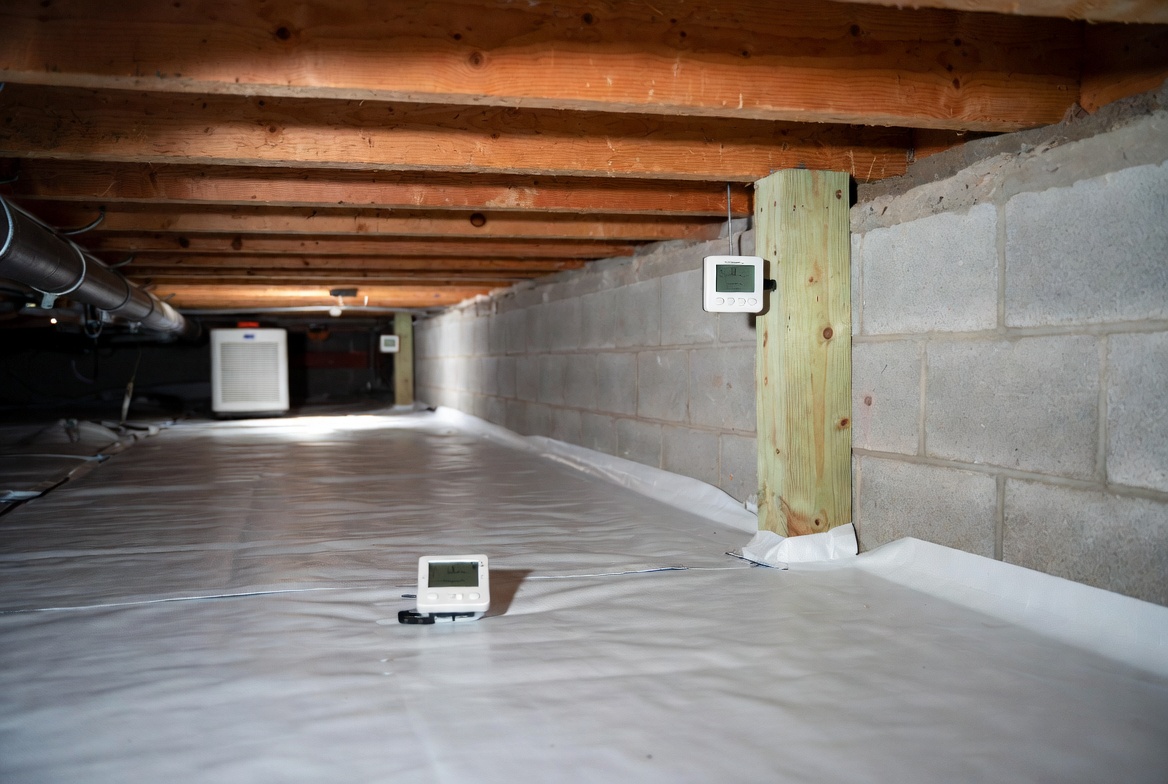
A crawl space usually goes bad slowly.
Humidity rises. The smell gets stronger. Ducts sweat. Wood feels damp. By the time somebody notices, the problem has often been there for a while.
That is why a crawl space hygrometer matters. It is not extra gadgetry. It is a way to track what the space is doing over time instead of guessing from smell or one quick inspection.
The best one is not the fanciest. It is the one that keeps logging, warns you when RH gets too high, works in a low-clearance crawl, and gives you enough history to spot a pattern.
Worth knowing: if you still are not sure whether the crawl has a liner problem, a humidity problem, or a bigger sealed-vs-vented problem, keep Crawl Space Humidity: What’s Normal, High, and Dangerous?, Crawl Space Vapor Barriers and Vent Covers: What Works, What Backfires, and Crawl Space Encapsulation Done Right: Moisture First, Air Second nearby while you read this.
The Quick Picks
| Pick | Best For | Why It Stands Out | Main Trade-Off |
|---|---|---|---|
| SensorPush HTP.xw + G1 Gateway | Best overall for serious crawl-space monitoring | Excellent accuracy, water-resistant build, long battery life, remote alert potential with gateway | Gateway adds cost if you want true away-from-home monitoring |
| INKBIRD IBS-TH3 WiFi | Best value Wi-Fi logger | Alarms, calibration, app access, one year of cloud data, export-friendly | More consumer-feel than the SensorPush stack |
| Govee Wi-Fi Temperature Humidity Sensor | Best budget-friendly Wi-Fi choice | Simple app monitoring and CSV export without overcomplicating the setup | Less crawl-space-specific than the stronger specialty options |
| AcuRite Multi-Zone Station With 3 Sensors | Best for comparing crawl, house, and outdoors at once | Multi-zone display, alarms, visible at-a-glance comparison, strong sensor range | No app-first cloud experience like the Wi-Fi and gateway options |
| Govee Bluetooth Hygrometer Thermometer H5075 | Best simple low-cost spot-check monitor | Cheap, easy, readable, alerts and app storage without much setup hassle | Bluetooth logic is weaker if you want true remote crawl-space oversight |
Best Overall: SensorPush HTP.xw With G1 Gateway
If you want the strongest all-around crawl-space monitoring setup, this is the one I would start with.
The reason is not just the app or the brand reputation. It is the crawl-space fit. SensorPush makes a version of the sensor that is both more accurate and more physically believable for nasty, low-key damp environments than a lot of cheaper indoor sensors. The HTP.xw is listed with strong humidity and temperature accuracy, splash-resistant construction, and long battery life. That combination matters under a house.
You are not putting this in a pretty office. You are putting it in a crawl space where you want stable readings, less sensor drama, and a real chance of catching trouble before the house starts telling you the crawl is off.
The catch is simple: if you want true away-from-home monitoring and remote visibility, the gateway matters. That means the best version of this setup is not the cheapest version.
But for people who care about getting this right, that is usually worth it. This is the one I would use when the crawl is a real part of the house performance problem and I want better data, not just a cheap reading.
Best for: sealed crawl spaces, owners who want alerts and real monitoring instead of occasional checking, and anyone who values better sensor quality over bargain pricing.
Best Value Wi-Fi Logger: INKBIRD IBS-TH3 WiFi
This is the pick for people who want a lot of the right features without paying SensorPush money.
The INKBIRD IBS-TH3 WiFi does several things right for crawl-space use:
- it supports Wi-Fi remote monitoring through the app
- it offers alarms
- it includes calibration
- it stores up to one year of cloud data
- and the app allows exporting the data
That matters because a crawl space is about patterns. You want to know what happened last week, not just what the RH says right now when you happen to check.
Where I would rank it below SensorPush is in overall feel and confidence for crawl-space-specific monitoring. It is compact, useful, and feature-rich. But it still feels more like a versatile consumer smart sensor than a purpose-built crawl-space-first stack.
That is not a dealbreaker. It is just the trade-off.
Best for: homeowners who want Wi-Fi, alarms, historical data, and export features without going all the way to the pricier SensorPush setup.
Best Budget-Friendly Wi-Fi Choice: Govee Wi-Fi Temperature Humidity Sensor
This is the simpler budget Wi-Fi answer.
Govee’s Wi-Fi temperature and humidity sensor wins here because it gives you the most important modern-monitoring behavior without making the setup feel like a project: app-based monitoring, historical data, and CSV export.
That may sound minor. It is not.
For crawl spaces, export matters because once you start seeing humidity drift, you want to compare before-and-after changes. Did sealing the access hatch help? Did redoing the liner help? Did the dehumidifier actually flatten the seasonal spikes? You cannot answer those questions well with memory alone.
This is not the premium-most crawl-space monitoring stack. It is the more approachable Wi-Fi pick for people who want alerts and historical data without stepping into the more expensive sensor ecosystems right away.
I would still rank it below SensorPush for serious crawl monitoring and below INKBIRD if you strongly value calibration and the more data-centric feature set. But if your goal is “give me something sane, connected, and not overpriced,” this is one of the better entries.
Best for: budget-minded crawl-space monitoring where app history and export matter more than premium sensor stack feel.
Best for Comparing Crawl, House, and Outdoors: AcuRite Multi-Zone Station With 3 Sensors
This one is different, and that is why it belongs here.
AcuRite’s multi-zone station is not the slickest app-first solution. What it does well is comparison. And comparison is one of the most useful things you can do with a crawl space.
The station is designed to display conditions from multiple areas at once, with support for up to three sensors, alarms, trend arrows, and daily high and low records. It is a strong fit when you want to understand how the crawl behaves relative to the house and to outdoor conditions.
Why that matters:
- you can see whether the crawl is worse than the house above
- you can compare the crawl against outdoors during seasonal swings
- you can spot whether the crawl is the outlier or whether the whole house is riding high humidity
That is extremely useful for troubleshooting.
It is also useful when you are trying to prove to yourself that the crawl changed after a liner fix, vent change, or dehumidifier install. A single monitor tells you what one spot did. A multi-zone setup tells you what the system did.
The trade-off is obvious: this is more display-station logic than sleek cloud-first monitoring logic. If you want phone-first remote alerts everywhere all the time, go Wi-Fi or gateway. If you want to understand the relationship between crawl, house, and exterior conditions, this is one of the smarter setups.
Best for: homeowners who want to compare multiple zones and understand the crawl in context instead of treating it like an isolated box.
Best Simple Low-Cost Spot-Check Monitor: Govee Bluetooth Hygrometer Thermometer H5075
This is the cheap one I would look at before random no-name sensors.
The Govee Bluetooth H5075 earns a place because it covers the basic needs cleanly: large easy-to-read display, app alerts, data storage, and a price point that makes it reasonable as a first sensor or backup sensor.
The reason this is not the best overall pick is simple: Bluetooth is weaker logic if you want true remote crawl oversight. For many houses, that means this is better as:
- a low-cost crawl sensor you check locally
- a second comparison sensor
- or a budget first step before deciding whether the crawl needs a stronger monitoring setup
If you only want one sensor and the crawl is a real moisture-risk area, I would still rather see Wi-Fi or gateway-backed monitoring. But if the budget is tight and you want something cheap that is still useful, this is one of the better low-cost answers.
Best for: local spot checks, low-cost monitoring, or adding a second sensor without spending much.
What I Would Not Buy First
I would not start with a random indoor humidity meter just because it is cheap and the reviews look fine for bedrooms.
Crawl spaces reward a different mix of features:
- alerts that matter
- logging that keeps working
- a sensor that can live below the house without feeling delicate
- and, ideally, a setup that lets you check conditions without crawling under there every time
I also would not buy a monitor that only gives you one current reading if the crawl has a known humidity history. That is not monitoring. That is a number.
The whole point of this page is that crawl spaces drift. So the best tool is the one that catches drift.
What Actually Works vs What People Commonly Do Wrong
| What Actually Works | What People Commonly Do Wrong |
|---|---|
| Use a sensor with logging and alerts | Check humidity only when the crawl already smells bad |
| Compare crawl readings with the house or outdoors | Treat one isolated reading like the whole story |
| Place the sensor where the crawl actually behaves badly | Put it near the hatch where access is easy but conditions are misleading |
| Use Wi-Fi or gateway logic if you want true remote oversight | Buy Bluetooth and then expect full away-from-home monitoring |
| Track trends before and after crawl-space changes | Assume the dehumidifier or liner must be working because the smell faded a little |
Where to Put the Sensor
This is where a lot of otherwise good monitor choices get wasted.
Do not put the sensor only where it is easiest to reach. Put it where the crawl tells the truth.
Usually that means avoiding the immediate hatch area if the hatch is unusually dry, drafty, or close to the house interior. It often means choosing a more representative location deeper in the crawl or near the area you actually worry about most.
Good sensor locations often include:
- the middle third of the crawl if you want a general read
- the dampest-looking zone if you are tracking a known trouble area
- near ducts or vulnerable framing if condensation is the concern
- one in the crawl and one in the living space above if comparison is the goal
And yes, placement can change the story. That is not the sensor being wrong. That is the crawl being uneven.
How Many Sensors Do You Actually Need?
For a small crawl with one main concern, one good sensor can be enough.
For a larger crawl or a crawl you are actively troubleshooting, two is often smarter:
- one in the crawl
- one in the house above, mechanical space, or another comparison point
For people doing serious diagnosis, especially when the crawl has had odor, humidity, or seasonal condensation problems, a multi-zone setup starts making more sense. That is exactly why the AcuRite pick exists on this page.
More sensors do not matter if nobody checks the data. But once you are trying to understand patterns instead of snapshots, multiple zones get useful fast.
The Detail People Miss
The best monitor is not the one with the prettiest app. It is the one you will still trust six months later.
That usually comes down to three boring things:
- did it keep logging
- did the alerts actually help
- did the placement tell you something real
This is why a less glamorous monitor with reliable history can be more valuable than a prettier one with weaker long-term usefulness. Crawl-space monitoring is not entertainment. It is slow pattern recognition.
If the crawl keeps running high, the next step is not to stare at the graph harder. The next step is to decide whether the problem is liner quality, sealing, drainage, or equipment sizing. That is where this page ties back into the rest of the cluster.
Do Not Use Monitoring Instead of Fixing the Crawl
A humidity monitor is not a moisture-control system.
It tells you what the crawl is doing. It does not stop the crawl from doing it.
So do not confuse better data with a real fix. If the crawl is still vented when it should not be, if the liner is patchy, if the wall detail is weak, if the access door leaks, or if the downspouts are still feeding the perimeter, the monitor is just proving that the crawl is bad more clearly.
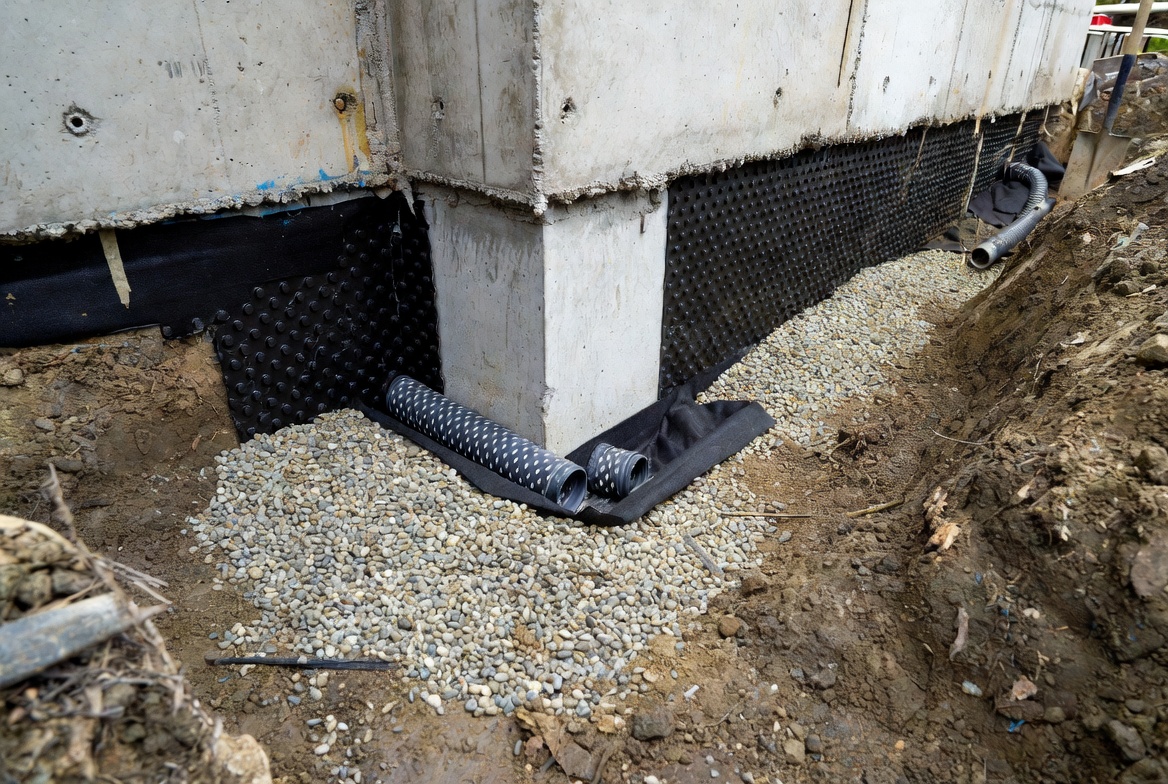
That is useful. But it is not the solution.
Before you move on: if the crawl still smells bad or keeps drifting humid, go to Why Does My Crawl Space Smell in the House?, Crawl Space Drainage System: When You Need One, What It Includes, and What It Does Not Fix, and Can You Use a Dehumidifier in a Crawl Space Without Encapsulation?.
How I Would Pick One in One Walkthrough
- Decide whether you want true remote monitoring. If yes, lean Wi-Fi or gateway, not basic Bluetooth.
- Decide whether you need one-zone or multi-zone logic. If you want comparisons, a station or multiple sensors matter more than one best sensor.
- Check the crawl-space conditions. If the space is rougher, damp, or awkward, more durable sensor logic matters.
- Decide whether you care more about premium accuracy or value features. That usually splits SensorPush from INKBIRD and Govee.
- Pick where the sensor will actually live. Do this before buying so you do not choose the wrong style for the job.
Quick Checklist
- Do not monitor by smell alone.
- Use alerts and logging, not just live readings.
- Choose Wi-Fi or gateway-backed monitoring for true remote oversight.
- Use multi-zone comparison when you want to understand the crawl in context.
- Place the sensor where the crawl actually behaves badly, not just where access is easiest.
- Remember that a monitor diagnoses the problem; it does not fix it.
What To Do Next
This part matters: if the crawl keeps running humid and you still do not know whether the readings are actually bad, go to Crawl Space Humidity: What’s Normal, High, and Dangerous?.
Also useful: if the next decision is moisture equipment, read What Size Crawl Space Dehumidifier Do You Need? and Best Crawl Space Dehumidifiers.
Before you move on: if the crawl still is not sealed right, go to Crawl Space Encapsulation Done Right: Moisture First, Air Second and Crawl Space Vapor Barrier Installation: How to Do It Right the First Time.
If you still need the bigger picture: use Conditioned Crawl Space vs Encapsulated Crawl Space and House Foundations: What You Need to Know Before Construction.
FAQ
What Is the Best Crawl Space Hygrometer Overall?
For most serious crawl-space monitoring, the SensorPush HTP.xw with the G1 gateway is the strongest overall setup because it combines strong accuracy, better physical robustness, and real remote-monitoring potential.
Do I Need Wi-Fi for a Crawl Space Monitor?
Not always, but Wi-Fi or a gateway-backed system is much better if you want true remote oversight. Bluetooth is fine for local checks or low-cost secondary sensors, but weaker for away-from-home monitoring.
What Humidity Should I Worry About in a Crawl Space?
Worry less about one isolated number and more about sustained high RH and recurring seasonal spikes. A crawl space that keeps trending high is telling you something about the assembly, the drainage, or the moisture-control strategy.
Is One Sensor Enough?
Sometimes, yes, for a smaller crawl and one main concern. Two or more sensors become much more useful when you want to compare the crawl to the house above or track multiple trouble zones.
Where Should I Place the Monitor?
Place it where the crawl tells the truth, not just where the hatch is easiest to reach. A deeper representative location is often better than a convenient one.
Can a Monitor Replace a Dehumidifier?
No. A monitor tells you what is happening. It does not remove moisture, fix drainage, or seal the crawl.
What Should I Read After This?
If the crawl is still humid, go to Crawl Space Humidity: What’s Normal, High, and Dangerous?. If you are choosing equipment next, go to What Size Crawl Space Dehumidifier Do You Need? and Best Crawl Space Dehumidifiers.
Official Sources
- EPA: A Brief Guide to Mold, Moisture, and Your Home
- ENERGY STAR: Quick Reference on Closed Crawl Spaces
- SensorPush HTP.xw Specifications
- SensorPush Product and Gateway Information
- INKBIRD IBS-TH3 WiFi Specifications
- Govee Wi-Fi Temperature Humidity Sensor
- Govee Bluetooth Hygrometer Thermometer H5075
- AcuRite Multi-Zone Station With 3 Sensors