
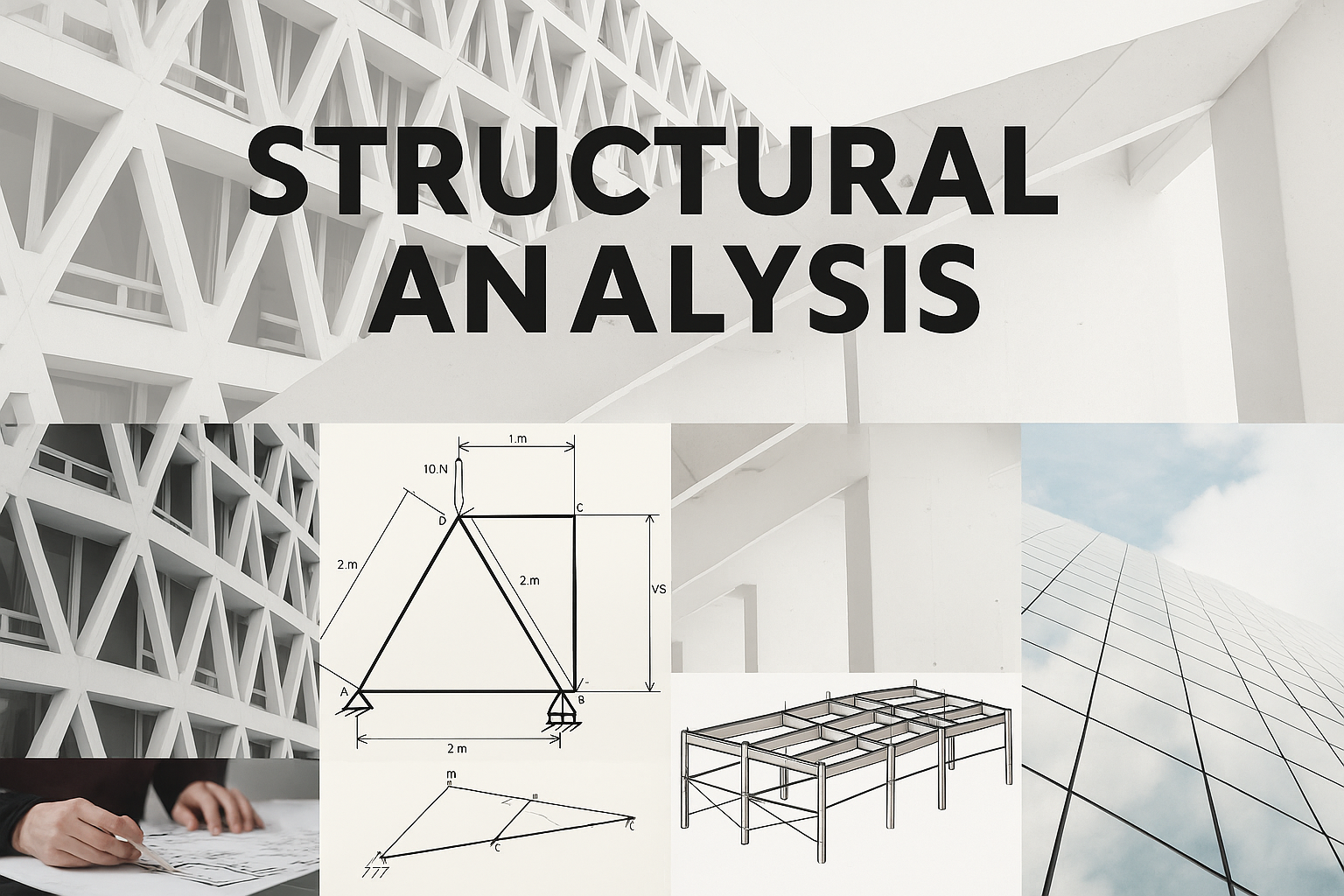
What Is Structural Analysis? Loads, Methods, and Real-World Tools
From Load Paths to Failures: How Structural Analysis Keeps Buildings Standing
What It Takes to Keep Buildings Standing
How do you know a structure won’t fail? You track the loads, model the forces, and run the numbers right. This isn’t theory—it’s what gets built.
This guide cuts straight to what matters:
-
● How structural loads actually flow—and where they fail
-
● Real analysis methods used in seismic and high-stress design
-
● The tools pros rely on: ETABS, STAAD, ANSYS, RISA, and more
-
● Case-based breakdowns: trusses, beams, shear walls, retrofits
-
● What modern codes demand—and why manual checks aren’t enough
We focus on practical, project-ready skills:
From student learning to permit-grade modeling, you’ll see how real engineers read reports, use software, and solve structural problems every day.
Structural Analysis – R.C. Hibbeler (10th Ed)
The go-to book for learning how structures actually work.
Covers trusses, beams, frames, and real-world load paths.
Used in top architecture and civil programs.
🛒 Buy on Amazon →
Where Structural Analysis Fits in Engineering Design
This section explains how structural analysis fits into the broader engineering design process.
1. Physics & Math Foundations
-
Engineering Math (Calculus, Linear Algebra)
-
Physics: Mechanics & Statics
2. Materials Science
-
Concrete, Steel, Timber, Composites
-
Material behavior: stress, strain, failure modes
3. Soil Mechanics
-
Site conditions, bearing capacity, settlement
-
Foundations begin here
4. → Structural Analysis ←
-
Internal forces (shear, moment, axial)
-
Deflection, stability, and system behavior
-
Dead, Live, Wind, Seismic, Snow, etc.
-
Codes: ASCE 7, NBCC, Eurocode
-
Beams, Slabs, Columns, Walls
-
Steel, concrete, timber design codes (ACI, AISC, etc.)
7. Connections & Detailing
-
Bolted/welded joints, reinforcement, anchorage
-
Construction drawings, node behavior
8. Construction Methods
-
Sequencing, shoring, forming, safety
-
Site management, QC/QA
9. Inspection, Codes & Safety
-
Building inspections, compliance
-
Risk mitigation and legal responsibility
Why This Helps:
-
Loads are the bridge between analysis and design. Without them, you're designing in the dark.
-
Everything before loads prepares you to calculate them correctly. Everything after depends on them being right.
Other Related Courses or Modules:
- Mechanics of Materials (stress, strain, bending)
- Building Codes & Load Combinations
- Concrete & Steel Design
- Seismic Design & Earthquake Engineering
- Foundation Engineering
Why It Matters:
- Loads are the starting point of structural logic. Every calculation flows from knowing what forces the structure must resist.
- Getting loads wrong means every design that follows will fail—no matter how good your materials or detailing are.
Structural Models in Practice
Structural Analysis Methods Explained (With Real Case Mistakes)
ETABS, STAAD, RISA, ANSYS—how pros run real-world structural analysis to make safe, buildable designs.
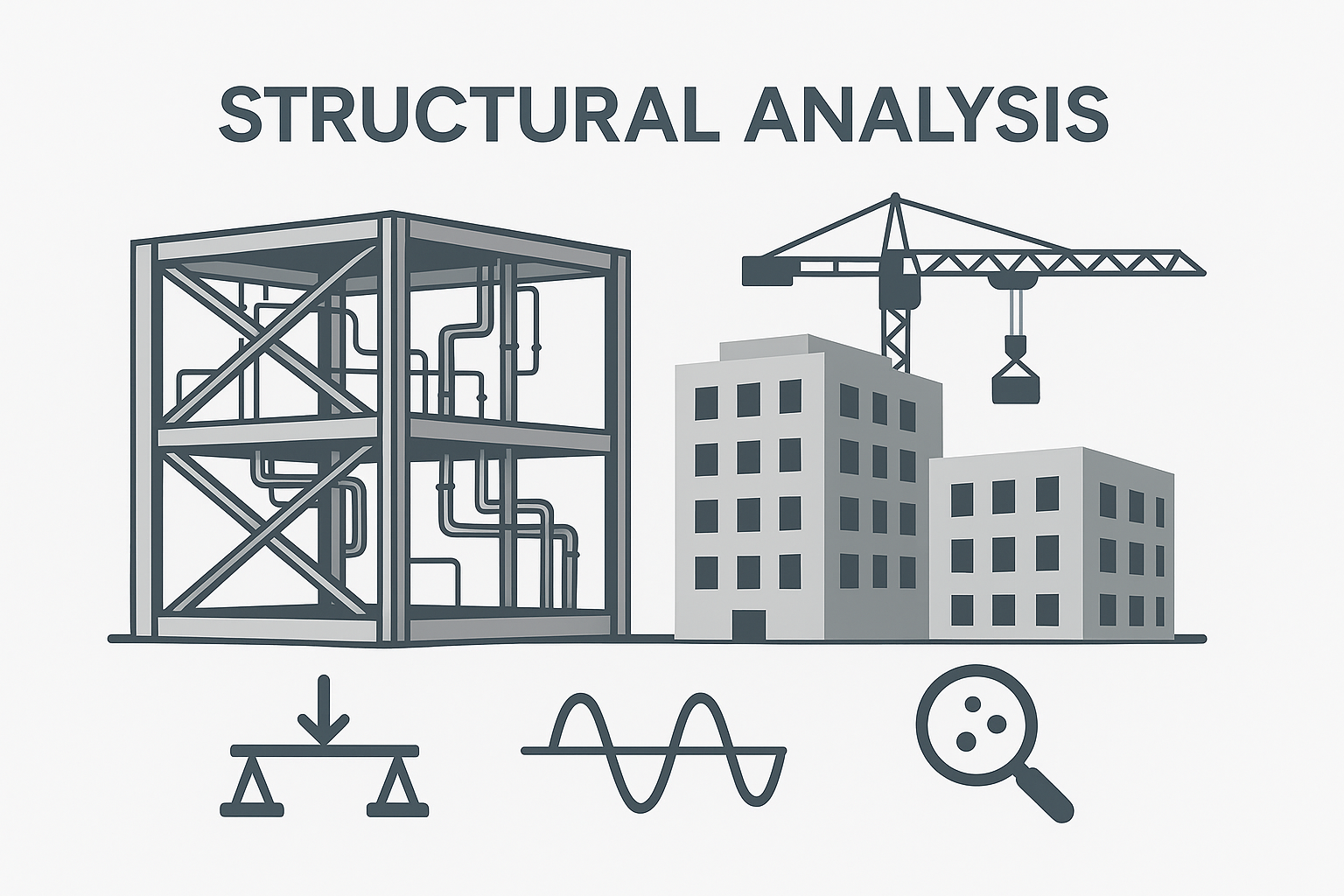
Structural Models Engineers Actually Use
Engineers don’t guess. They model.
Every structural analysis starts with the right model—because the wrong one gives you the wrong answers. And that gets people hurt.
Here’s how structural models work in practice—across real projects, with real mistakes.
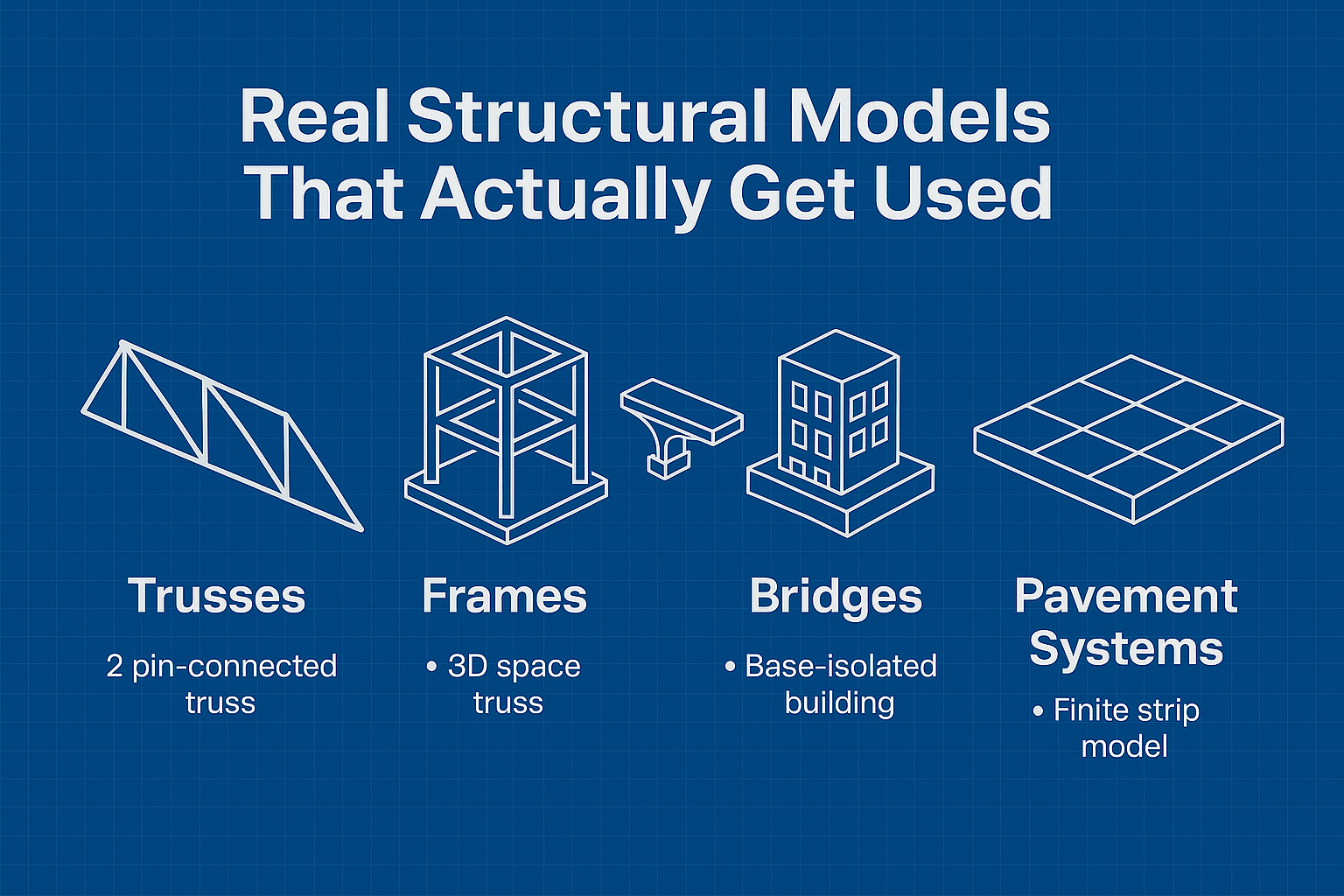
IMAGE: Essential structural models including trusses, space frames, base-isolated buildings, and pavement systems used in structural engineering.
Trusses
Start with a 2D pin-connected truss in Excel or MATLAB. Then scale to 3D space trusses in ANSYS or SAP2000.
● What breaks first?
● Which members buckle under load?
● What happens when supports are misaligned?
Frames
Basic beam-column models grow into high-rise frame simulations in ETABS and STAAD Pro.
● Gravity loads, lateral drift, and moment distribution all show up fast.
● You see what softens, what cracks, and what holds.
Bridges
No bridge stands still. Modal analysis tracks how it shakes under wind and vehicles.
● Engineers simulate wind buffeting, vibration modes, and load combinations.
● One mistake in damping assumptions, and the design fails long before collapse.
Soil–Structure Interaction
Not just what you build—but what you build on.
● Base isolation systems, soft story failures, and foundation shifts all need layered models.
● ANSYS and ABAQUS run nonlinear ground coupling, but even Excel gets you started.
Pavement Systems
Highway engineers use finite strip methods to track slab deflection under load.
● It’s not just about thickness—it’s load repetitions, subgrade failure, and temperature stress.
● Long-term fatigue shows up in year one if you model wrong.
This is the modeling backbone behind every safe, code-compliant structure today.
Seismic Design Explained: What Actually Keeps Buildings Standing
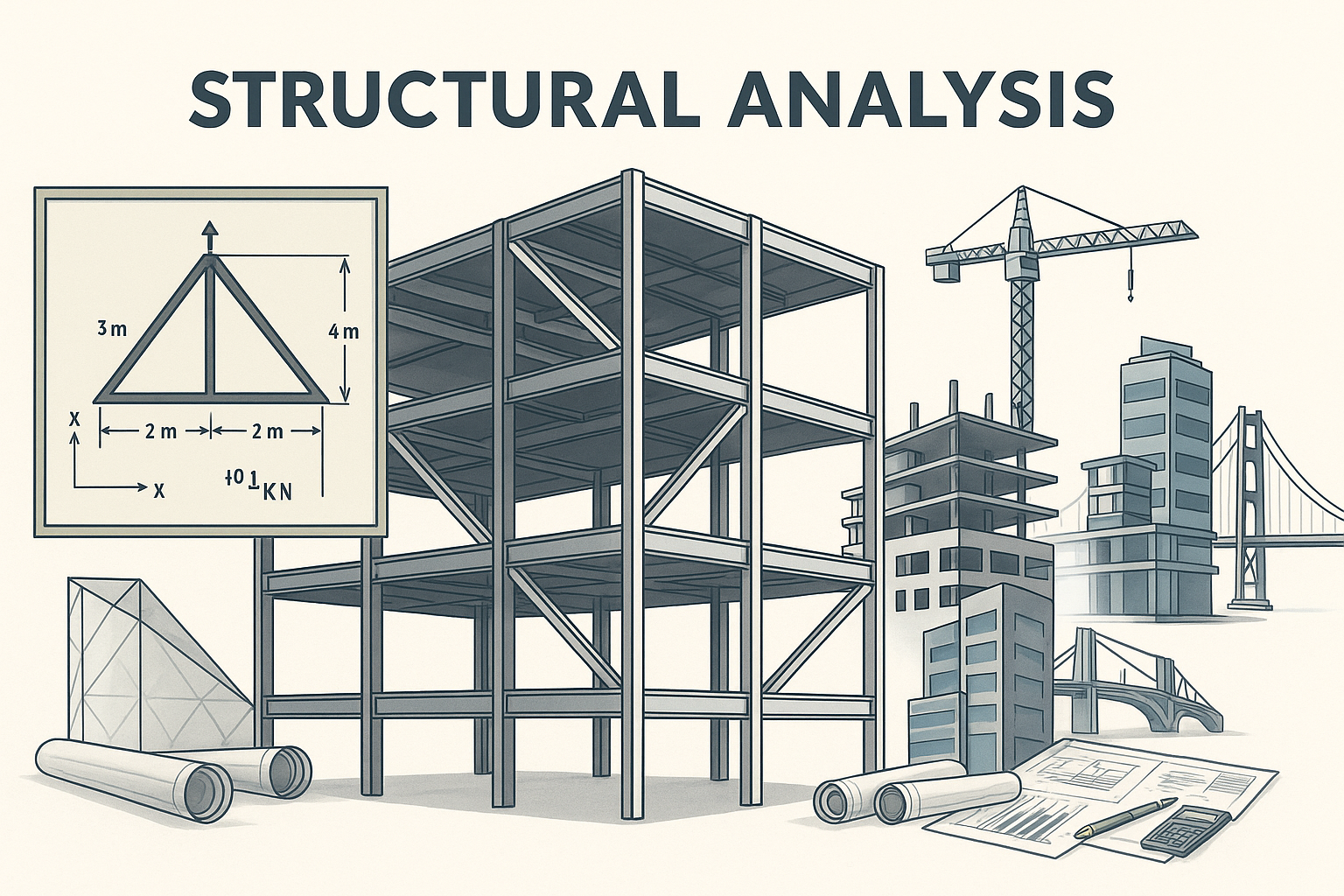
Earthquakes don’t follow rules—your structure has to.
So, seismic design is about how energy moves, what absorbs it, and what fails safely.
Static vs Dynamic Analysis
● Equivalent Static: Quick, code-approved, but oversimplified
● Dynamic: Captures real movement—used for critical or complex structures
Modal vs Time History
● Modal Analysis: Finds natural frequencies and vibration modes
● Time History: Simulates real earthquake records, second by second
Key Concepts
● Ductility: How much a structure bends before breaking
● Base Shear: Total lateral force the building must resist
● Response Spectrum: Plots building reaction vs. earthquake frequency
Performance-Based Seismic Design (PBSD)
● Design for how the building performs—not just survival
● Models damage stages: operational, life safety, collapse prevention
● Now required in many high-risk zones (schools, hospitals, towers)
Real Project Walkthrough: Step-by-Step Structural Analysis & Design
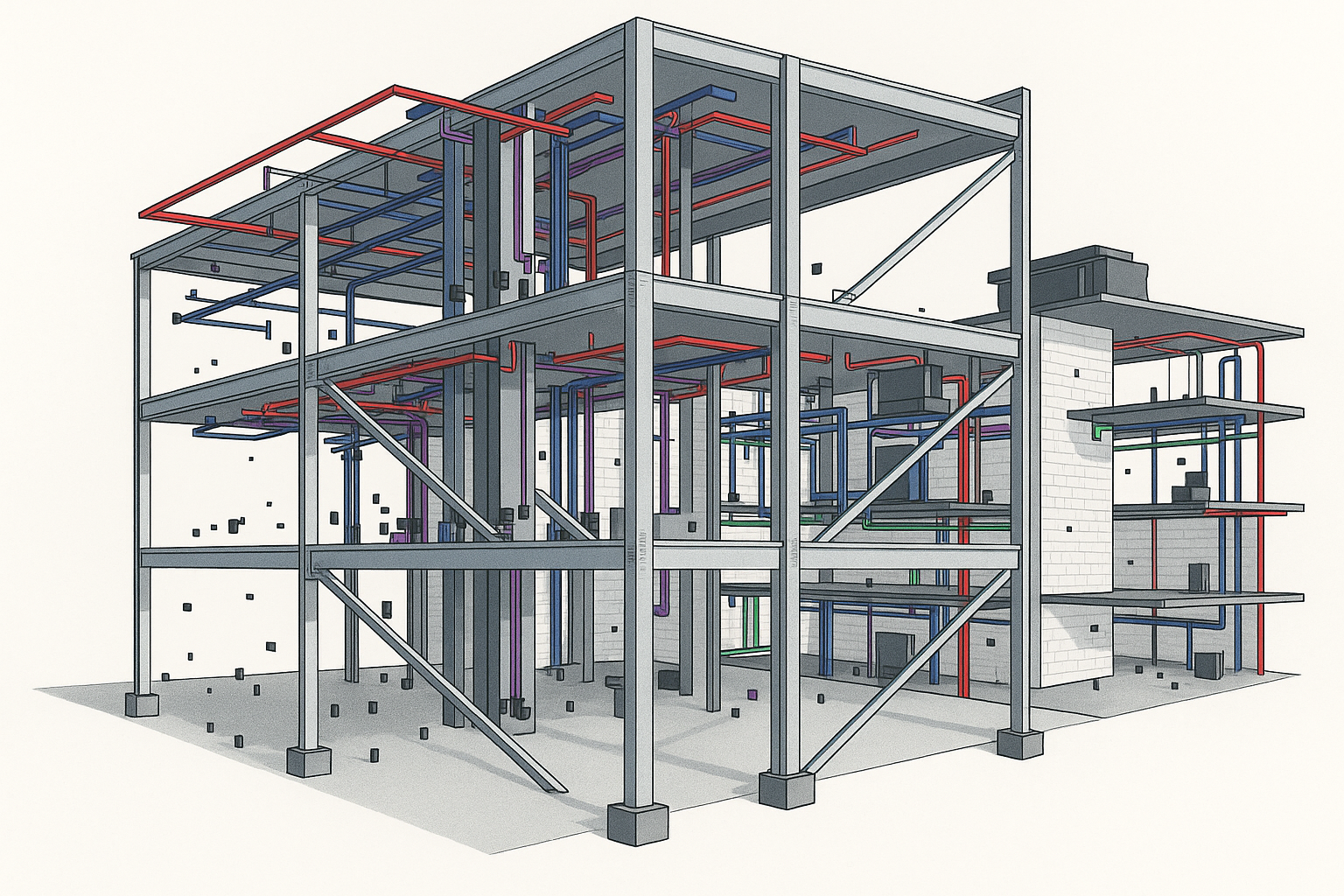
This is how a real structural project gets done—from blank screen to permit-ready package. No guesswork, no fluff.
1. Start with Geometry
Everything begins with the building layout.
-
Import CAD or Revit base drawings (gridlines, column positions, walls)
-
Define all levels, story heights, and slab outlines
-
Set up the model axes and reference planes in ETABS, RISA, STAAD, or SAP2000
-
Lock in structural zones: cores, frames, braced bays, shear walls
What goes wrong here:
Bad geometry = bad results. Misaligned columns or missing offsets? You’ll chase those errors for days.
2. Assign Materials & Section Properties
Define what the structure is actually made of.
-
Concrete: compressive strength (e.g., 30 MPa), modulus, density
-
Steel: yield strength (e.g., 350 MPa), section types (W-beams, channels, tubes)
-
Wood or composite: if applicable (CSA O86, AISC, or Eurocode parameters)
-
Slab thicknesses, wall thicknesses, deck types, rebar properties
Assign sections to columns, beams, slabs, cores. Label everything. Add modifiers for cracked sections if needed.
Mistake to avoid:
Leaving default properties. One wrong modulus = wrong stiffness = garbage deflection results.
3. Apply Gravity and Lateral Loads
Use real loads based on code and project type.
-
Dead Load (DL): self-weight, finishes, fixed equipment
-
Live Load (LL): occupancy-specific (offices, storage, residential)
-
Snow Load (SL): based on city-specific snow maps
-
Wind Load (WL): direction-dependent, gust effects, based on NBC or ASCE 7
-
Seismic Load (EL): spectral acceleration, site class, importance factor
Assign load cases and use real directions (X, Y, Z). Include lateral torsion if building is irregular.
4. Run Load Combinations (Code-Defined)
Use full load combinations from NBC 2020, ASCE 7-22, or Eurocode—no shortcuts.
Typical ULS and SLS combos:
-
1.4 DL
-
1.25 DL + 1.5 LL
-
1.2 DL + 1.0 LL + 0.5 SL + 1.0 WL
-
0.9 DL + 1.0 EL (seismic push)
These combinations control strength design and serviceability checks.
Tools like ETABS or STAAD auto-generate these, but you must verify them.
Mistake to avoid:
Forgetting to include all load directions. Lateral loads must be tested in both axes—and sometimes with accidental eccentricity.
5. Extract Member Forces & Design Each Element
After the model runs clean:
-
Pull axial, shear, and moment forces from each beam, column, wall
-
Check slabs for punching shear and flexure
-
Design per CSA S16 (steel), A23.3 (concrete), or AISC, Eurocode, etc.
-
Size members manually or use the software's design modules
-
Check stress ratios, unity checks, or capacity reduction factors
Don’t stop at “passes”—review the governing combos, demand/capacity trends, and member utilization.
6. Seismic Detailing, Drift, and Ductility Checks
Now validate the structure’s behavior under real movement.
-
Story drift limits (e.g., <2% for seismic, <1% for wind)
-
P-delta effects (use geometric nonlinearity toggle)
-
Check that columns are stronger than beams (strong-column weak-beam rule)
-
Apply seismic detailing: stirrup spacing, tie hooks, confinement zones
-
Ensure system ductility (ductile moment frames, braced frames, etc.)
What often fails here:
Drift. Designers size frames for strength and forget drift—which governs in 6+ story structures or open floor plans.
7. Export Outputs for Permit Submission
You’re not done until it’s stamped.
-
Export PDF or DWG structural drawings: plans, sections, details
-
Include material specs, notes, and key design assumptions
-
Generate full calculation package:
-
Load assumptions
-
Model screenshots
-
Design combos
-
Summary of governing forces
-
Member sizing and checks
-
-
Run QA/QC on each sheet—inspect node labels, dimensions, text clarity
-
If required, submit a sealed letter of structural sufficiency
Permitting Tip:
Authorities don’t want 200 pages. They want 20 clear ones—organized, labeled, justified.
Top Software for Structural Analysis: ETABS, ANSYS, RISA, STAAD Pro
Software Showdown: What to Use, When, and Why
How forces flow, what fails, and which software matters.
Structural engineers don’t have time for guesswork. You pick the right tool based on the job, not the brand.
Here’s how the top structural software actually gets used—by firms, in real workflows, and why it matters.
Breakdown by Task and Best Tool
Structural Analysis Software Comparison Table
| Task / Use Case | Best Tool | Why It Wins | Field Insight / Real Use |
|---|---|---|---|
| Beam / Slab Design | ETABS | Built-in slab strip design, gravity + lateral auto load combos | Used in tower design firms across Toronto; fastest way to model podium + tower slabs |
| Steel Truss Systems | STAAD Pro | Easy node definition, automatic steel design checks | Common in telecom, energy, and industrial steel firms doing large truss systems |
| Nonlinear Seismic Behavior | ANSYS | Captures P-delta, cracking, yielding, collapse progression | Used in academic + advanced retrofit firms for pushover and soft-story failure simulation |
| Retrofit / Fracture Modeling | ABAQUS | Ideal for anchor failure, concrete cracking, bonded interfaces | Used in forensic and offshore projects needing stress propagation + damage tracking |
| Concrete Shear Walls / Cores | ETABS | Specialized wall module; cracked section modifiers; rebar definition | Industry standard for mid/high-rise concrete shear wall towers (e.g., condos, hospitals) |
| Tall Frame Buildings (3–8 flr) | RISA 3D | Faster 3D model setup for light commercial or mixed materials | Used by design-build firms for quick steel/concrete layouts without full seismic analysis |
Pro Notes
Expert-Level Notes & Field Use Cases
ETABS
Used by nearly every mid-to-large firm doing building design.
Perfect for towers, podiums, shear wall systems, slab punching checks.
→ One firm we worked with uses ETABS exclusively for concrete towers in Toronto—automated seismic load cases save hours.
→ Slab design in ETABS beats spreadsheet methods every time, especially with irregular grids.
STAAD Pro
Still a go-to for steel platforms, pipe racks, industrial trusses.
→ If you're modeling a long-span steel truss bridge or detailing telecom towers, STAAD Pro handles it cleanly.
→ Multiple clients in telecom and industrial sectors rely on STAAD for easy steel code integration.
ANSYS
This is not a plug-and-play building tool—it’s for serious nonlinear work.
→ We used ANSYS for a P-delta collapse study on a multi-level braced frame retrofit. Captured soft-story drift that ETABS missed.
→ Best for seismic joints, base isolators, nonlinear springs, material rupture.
ABAQUS
Not common in commercial firms—but unbeatable in fracture and failure modeling.
→ We’ve seen it used in offshore support retrofits, where anchor pullout, concrete breakout, or fiber wrap failures needed simulation.
→ Also used by universities and aerospace firms for composite and hybrid material systems.
RISA 3D
Fast, clean, and intuitive—ideal for early design phases or small commercial buildings.
→ One design-build firm uses RISA for every 1–4 story retail build—they don’t need seismic performance modeling, just speed.
→ Also great for hybrid steel/concrete models without overcomplicating workflows.
What NOT to Use
-
Don’t use ETABS for custom joints, nonlinear collapse, or fractured detailing—it’s not built for it.
-
Don’t use ANSYS for buildings unless you really know what you're doing—it’s overkill, and modeling takes time.
-
Don’t use STAAD Pro for wall-diaphragm systems—it lacks the building-specific tools ETABS has.
-
Don’t use RISA 3D for seismic retrofitting—it doesn’t model ductility, plastic hinges, or collapse progression well.
Future-Proof Choices (2025+)
-
ETABS: Still the top tool for reinforced concrete and high-rise systems. Future-proof for code updates.
-
ANSYS / ABAQUS: Required for advanced simulation. If you’re heading toward research, offshore, or failure modeling—learn them.
-
RISA: Fast and nimble, but limited for complex systems.
-
OpenSees + Python: Gaining traction in startups and academia for fully custom performance-based workflows.
Advanced Topics in Structural Analysis
Real methods. Real mistakes. What actually gets used on engineering projects.
Linear vs. Nonlinear Structural Analysis: When Accuracy Matters
Linear analysis assumes everything behaves nicely—materials stay elastic, geometry doesn’t shift, and loads don’t mess with the structure’s shape. It’s fast, but limited.
-
Used for: Early-stage design, small deformations, low-stress conditions
-
Fails when: You hit yield, large displacement, or anything nonlinear (seismic, buckling, collapse)
Nonlinear analysis is the real test. It handles:
-
● Material nonlinearity: steel yielding, concrete cracking, plastic hinges
-
● Geometric nonlinearity: second-order effects, P-Δ behavior
-
● Boundary nonlinearities: friction, gaps, contact, uplift
Real use case:
In seismic retrofitting, nonlinear pushover analysis shows how a building degrades over time. Linear analysis misses collapse mechanisms entirely.
Pro Tip:
Don’t use linear when behavior isn’t linear. It gives you clean numbers and a false sense of security.
How to Read a Structural Analysis Report Like an Engineer
Most analysis reports look impressive—charts, loads, deflections—but few people know what to actually check. Here’s what real engineers focus on:
1. Model Assumptions
-
Did the engineer define the right supports, boundary conditions, and restraints?
-
Are the materials, section types, and load paths realistic?
2. Load Combinations
-
Look for missing or incorrect combos: wind+snow, live+seismic, dead+EQ+accidental torsion
-
Are factors based on the correct code (e.g., ASCE 7-22, Eurocode, NBC)?
3. Deflection & Drift
-
Are story drifts under 1% (normal) or 2% (seismic max)?
-
Does it pass serviceability checks? People feel vibrations even if it’s safe.
4. Reactions & Internal Forces
-
Look for unexpected load concentrations or support reactions—signs of modeling error or missed load paths.
5. Critical Members
-
Find the highest stress ratio members. Are they overstressed? Underdesigned?
-
Are shear walls taking lateral load properly? Or are frames overloaded?
Mistake to watch for:
Reports that “pass everything” without any failure modes flagged. That’s not good engineering—it’s lazy modeling.
2D vs 3D Structural Analysis: Which One to Use When?
You don’t always need 3D. But when you do, skipping it causes major design errors.
✔ Use 2D Structural Analysis When:
-
Structure is planar (single plane trusses, portal frames, beams)
-
Load paths are vertical or horizontal only
-
Out-of-plane forces are not expected
-
Great for quick checks or concept designs
→ Tools: Excel, STAAD Pro, hand calcs
✕ 2D fails when:
-
Loads come from multiple directions
-
There’s torsion, out-of-plane behavior, or complex geometry
-
You’re analyzing slabs, shear walls, or 3D frames
→ You miss how forces really flow
✔ Use 3D Structural Analysis When:
-
System includes: slabs, cores, wind frames, irregular geometry
-
Lateral loads: seismic or wind acting in multiple axes
-
Structure has rigid diaphragms, open floors, or skewed plans
→ Tools: ETABS, RISA 3D, ANSYS, SAP2000
Case Study
A residential beam modeled in 2D shows correct bending and shear.
The same beam in a commercial building—modeled in ETABS—shows unexpected torsion from lateral loads and out-of-plane movement due to slab-edge loading.
→ The 2D model passes. The 3D model shows a serviceability failure.
Modal, Linear, and Nonlinear: What Type of Analysis Is Required?
Each analysis type has its place. Use the wrong one, and your results are either meaningless—or dangerously optimistic.
Linear Static Analysis
-
Assumes elastic material, small displacements
-
Fast and ideal for code-based sizing
-
Used for: simple structures, early design, code checks
→ But it ignores vibration, time, or deformation effects
Modal Analysis
-
Identifies natural frequencies and vibration modes
-
Critical for wind and earthquake-prone buildings
-
Needed for:
• Tall buildings with multiple modes
• Bridges exposed to traffic or wind
• Structures with tuned mass dampers (TMDs)
→ Tells you how the structure wants to shake
Nonlinear Analysis (Static or Dynamic)
-
Used when behavior goes beyond elastic
-
Tracks material yielding, cracks, plastic hinges, large displacements
-
Required for:
• Performance-Based Seismic Design (PBSD)
• Seismic retrofitting
• Buckling, collapse, uplift modeling
→ Slow, detailed—but shows how failure actually occurs
Real-world example:
A retrofit engineer runs a pushover analysis to simulate how a hospital frame fails during a strong earthquake. Linear analysis passed, but nonlinear showed story collapse due to soft first floor and plastic hinging.
Truss Analysis Deep Dive (Excel, MATLAB, STAAD, ANSYS)
Excel: 2D Teaching Tool
-
Still widely used in schools and by small offices
-
Perfect for hand-checking pin-connected trusses
-
Uses joint method (∑Fx=0, ∑Fy=0)
-
Good for: Warren, Pratt, Howe trusses
→ Simple, quick, visual
MATLAB: Custom Large-Scale Analysis
-
Handles massive stiffness matrices for 2D or 3D
-
Allows scripting for parametric studies, optimization
-
Great for academic use, sensitivity studies
→ Requires coding, but highly flexible
STAAD Pro: Visual 2D/3D Modeling
-
Easy input of nodes, members, boundary conditions
-
Automates support types, loads, combinations
-
Real-time visualization of stress and deformation
→ Great for engineers doing repetitive truss modeling
ANSYS: High-Fidelity 3D Trusses
-
Used when nonlinear material behavior or dynamic loads apply
-
Can model welded vs bolted joints, true stiffness, buckling
→ Ideal for industrial towers, bridges, or crash-sensitive designs
Download idea: Include a Warren Truss spreadsheet showing joint-by-joint calculations and screenshots comparing MATLAB output vs STAAD stress plots.
Bridge Structural Analysis: Tools, Loads, and Special Cases
Bridges don’t just carry cars—they deal with dynamic, thermal, wind, seismic, and long-term fatigue all at once.
Loading Conditions
-
Moving live loads (vehicles, pedestrians)
-
Impact loads (brake force, axle hits)
-
Wind, temperature gradients
-
Seismic vibration + soil-structure movement
→ One missed load case can lead to fatigue cracking
Software Tools
-
STAAD Pro – General bridge frame + load combos
-
MIDAS Civil – Complex staged construction, tendon layout
-
CSI Bridge / SAP2000 – Segmental bridges, seismic effects
-
LARSA 4D – Time-based traffic + vibration loading
→ All support AASHTO LRFD + Eurocode combos
Critical Modeling Tips
-
Expansion joints and bearings must be modeled as springs or hinges
-
Cable-stayed and suspension bridges need tension-only elements
-
Fatigue-prone zones: near supports, welds, flange transitions
-
Creep, shrinkage, and camber must be pre-applied in concrete
Case Study Ideas
-
Brooklyn Bridge: Cable elongation, wind sway, vehicle loading
-
Alamillo Bridge (Calatrava): Asymmetrical cantilever behavior, eccentric mass
-
London Millennium Bridge: Pedestrian-induced resonance (solved with tuned dampers)
Mistake to avoid:
Using static models for bridges exposed to constant vibration or time-based effects. It passes on paper—and fails in the real world.
Offshore & Wind: Structural Analysis for Extreme Environments
These structures don’t sit still. They twist, fatigue, and corrode under every possible force nature throws at them.
Offshore Structures
-
Exposed to:
• Wave loading (cyclic, directional)
• Saltwater corrosion
• Dynamic fatigue from tides and storms
• Mooring tension and seabed reactions -
Models must handle:
• Hydrodynamic forces
• Member fatigue checks (ABS, DNV standards)
• Joints with complex connection behavior
→ Loads vary by second. One poor assumption leads to collapse or years of overdesign.
Toolset:
-
ANSYS AQWA, SACS, SIMA, Orcaflex
🌬 Wind Turbines
-
Combine rotating blade loads with tower deflection, foundation rocking, and gyroscopic effects
-
High-frequency vibration + low-frequency drift
-
Key to model:
• Aerodynamic damping
• Blade-tower interaction
• Soil–structure stiffness coupling
Common failure:
Ignoring fatigue from blade rotation cycles. Many towers crack at base plate bolts—hidden until too late.
Pro Tip:
Damping matters. Use bad damping estimates, and you either underpredict vibration (unsafe) or overdesign steel (expensive).
Seismic Retrofitting Analysis and Modeling Techniques
Retrofitting isn’t about bracing everything in sight. It’s about redirecting energy and rebalancing the system.
What Retrofit Design Actually Involves
-
Add ductile paths where none exist
-
Redistribute demand from weak to strong elements
-
Model real degradation—not just peak forces
Analysis Methods
-
Nonlinear time history
-
Nonlinear static pushover
-
Modal response spectrum for rough screening
→ You need to model collapse progression, not just peak forces
Software
-
OpenSees – Research-grade nonlinear analysis
-
ETABS nonlinear – Ideal for buildings
-
SAP2000 – General structural + retrofit workflows
Techniques Used
-
Add shear walls, moment frames, or braced frames
-
Retrofit columns with fiber-reinforced polymers (FRP)
-
Use dampers, sliding bearings, or base isolation systems
→ Tip: Many retrofits fail not from load, but from detailing or anchorage problems
Field story:
A hospital retrofit in Turkey added shear walls—but ignored beam-column joint ductility. During a moderate quake, the joints failed first.
Related: How to Analyze Beams: From Cantilevers to Continuous Systems
MATLAB, ABAQUS, and Python: Advanced Structural Analysis Tools
You don’t always need a full commercial suite. These tools offer flexibility, custom control, and research-level power.
MATLAB
-
Ideal for custom stiffness matrix solvers, large matrix ops, sensitivity studies
-
Common in academics and for verifying FEA results
→ Great for plotting force-displacement, mode shapes, and response curves
Use it to:
-
Build your own 2D/3D solver
-
Validate commercial FEA tools like ETABS or ANSYS
-
Run parameter sweeps for optimization
ABAQUS
-
High-fidelity FEA, excellent for:
• Fracture modeling
• Composite materials
• Contact mechanics
• Shells and plates with cracking
→ Used in aerospace, nuclear, and civil research
Example:
Modeling delamination in a reinforced concrete dome under wind + thermal loads
Python + OpenSees
-
Open-source stack ideal for performance-based design, fragility curves
-
Python used to automate large simulations, postprocess results, run optimizations
→ Common in structural startups and universities
Tip:
Use Python + OpenSees for nonlinear pushover, then plot results in Matplotlib or export to Revit.
Analysis of Shell, Plate, and Curved Structures
These forms resist loads by shape, not just material. They’re efficient—but brutally sensitive to modeling errors.
Shells and Plates
-
Used in: domes, tanks, curved roofs, folded slabs, silos
-
Respond via membrane forces, bending, and shear
-
Critical for:
• Tanks under fluid pressure
• Arches and folded plates
• Freeform architecture (e.g. stadium roofs)
Tools that handle it right:
-
ANSYS – High-fidelity shell meshing + nonlinear materials
-
RFEM – User-friendly with membrane tension + fabric
-
SAP2000 – Good for architectural shells, tanks, domes
What to model right:
-
Element type (shell vs plate vs brick)
-
Support flexibility and continuity
-
Load path through curvature
Visual tip:
Think eggshells (uniform load), umbrellas (radial tension), and inflatable domes. Shape = strength.
STAAD Pro Tutorials: Foundation, Retaining Walls, Culverts, and Water Tanks
STAAD Pro handles more than frames. Here’s what actually gets modeled in geostructural design:
Foundation Design
-
Inputs: column loads, soil pressure, footing geometry
-
Load combinations include: axial + moment + lateral
-
Outputs: base pressure, moment demand, shear punching
→ Watch for tension zones—use pedestal or pile flag if needed
Retaining Walls
-
Model as plate elements with backfill pressure
-
Use active/passive earth pressure with surcharge loads
-
Must check: overturning, sliding, bearing failure
→ Add tiebacks or key if friction alone doesn’t work
Water Tanks
-
Analyze hoop tension, vertical cracking under fluid pressure
-
Model ring beams and roof domes as shell elements
→ Check under full + empty tank conditions
Box Culverts
-
Combine: soil loads, hydrostatic pressure, traffic impact
-
Rigid frames with side wall bending and slab shear
→ Model as a continuous frame or with hinge lines if joints exist
Visual idea: Include STAAD screenshots with support zones, pressure contours, and design checks marked.
Dynamic vs Static Structural Analysis
Not every load is constant. Time changes everything.
Static Analysis
-
Loads assumed constant or slowly applied
-
Works for:
• Gravity loads
• Wind with safety factors
• Short-span beams, slab design
→ Quick, easy—but blind to vibrations
Dynamic Analysis
-
Accounts for mass, inertia, damping, vibration
-
Needed for:
• Seismic events (time-history, response spectrum)
• Wind-induced motion (tall buildings, bridges)
• Machine-induced vibrations (turbines, equipment)
• Traffic on bridges (moving loads)
Common Tools:
-
ETABS – Modal and time history for buildings
-
ANSYS / ABAQUS – Full dynamic structural solvers
-
SAP2000 / MIDAS – Bridge time-response, staged loading
Comparison Example:
● Static model of bridge under truck = one moment diagram
● Dynamic model = multiple load pulses, deflection waves, and fatigue data
Mistake to avoid:
Using static analysis for earthquake design or tall towers. You’ll miss resonant modes, torsion, or collapse triggers.
Finite Element Methods (FEM) in Structural Engineering
FEM isn’t just a buzzword. It’s how real engineers break complex problems into solvable chunks.
What FEM Actually Does
-
Divides the structure into elements: beams, shells, bricks
-
Solves for displacements, stresses, reactions at nodes
-
Assembles a global stiffness matrix, applies loads, solves equations
Use FEM when:
-
Structures are irregular, curved, or nonlinear
-
You need stress gradients, crack prediction, or localized failure zones
-
Loads are complex, like temperature, dynamic motion, impact
Element Types
-
Beam elements: frames, trusses, continuous members
-
Shell/plate elements: slabs, tanks, domes, folded plates
-
Solid (brick) elements: foundations, joints, complex geometry
-
Truss elements: axial force-only members
Key Tools
-
ANSYS – Versatile FEA for academic + industrial use
-
ABAQUS – High-end nonlinear and fracture analysis
-
SAP2000 – Easy interface for beams, shells, and bridge FEM
-
MATLAB – Custom solvers for teaching or research
-
OpenSees – FEM for seismic, pushover, PBSD workflows
Common Mistake:
Blindly trusting color plots. FEM isn’t accurate if your mesh is bad, boundary conditions are wrong, or element type is off.
ETABS Tutorials and Building Design Workflows
ETABS isn’t just software—it’s the daily workhorse of structural engineers designing real buildings.
What ETABS Handles
-
Full building models: slabs, cores, shear walls, frames
-
Wind and seismic loads across 3D geometry
-
Story drifts, deflections, torsion, base reactions
-
Design-ready output: reinforcement schedules, steel checks
Workflow Breakdown
-
Import or draw geometry (plans, grids, columns, walls)
-
Assign materials and sections (concrete, rebar, steel)
-
Apply loads: dead, live, wind, seismic (ASCE 7, NBCC, etc.)
-
Define load combinations (ULS, SLS, EQ cases)
-
Run analysis: static, modal, response spectrum, time history
-
Check results: displacements, shear, moments, drifts
-
Design modules: slabs, walls, columns, foundations
-
Export reports or to Revit, AutoCAD, Excel
Beginner Mistakes
-
Not defining rigid diaphragms
-
Incorrect support conditions (pinned vs fixed)
-
Overlooking torsional irregularities or discontinuities
📎 Bonus idea:
Include a tutorial case: 5-story concrete building with lateral shear walls, modeled start to finish.
Steel vs Concrete Structures: Analysis Differences
Same load—two totally different behaviors. Steel and concrete demand different thinking.
Steel Structures
-
Light, strong in tension and compression
-
Bolted/welded → fast assembly, flexible joints
-
More sensitive to:
• Buckling (columns, plates, braces)
• Connection failures
• Vibration, especially in light floors
Analysis tips:
-
Include slenderness ratios, effective lengths
-
Use moment connection modeling (rigid vs pinned)
-
Lateral bracing is often the governing check
Concrete Structures
-
Strong in compression, weak in tension
-
Cracks form early—ductility depends on rebar detailing
-
Stiffer than steel—but heavier and slower to build
Analysis tips:
-
Account for cracking, shrinkage, and creep
-
Use nonlinear modeling in seismic or high-load zones
-
Detailing controls behavior as much as design
Composite Structures
-
Steel beams + concrete slabs
-
FRP-reinforced concrete for corrosion zones
-
Prestressed concrete in bridges or long spans
Final Point:
Steel is precise. Concrete is forgiving—but only if detailed right. The analysis must reflect real behavior, not just code checks.
Structural Load Path and Force Flow Basics
You can't design what you don't understand. Before any FEA, software, or detailing—get the load path right.
What Is a Load Path?
A load path is the route forces take from where they’re applied (roof, wall, slab) all the way to the ground.
If the path is broken—your structure fails.
Key Force Types:
-
Vertical (gravity) → slabs → beams → columns → foundations
-
Lateral (wind/seismic) → diaphragms → frames/shear walls → foundations
-
Tension & compression → trusses, bracing, cables
-
Moment/rotation → rigid joints, cantilevers, fixed supports
Where It Goes Wrong:
-
Beams unsupported at one end
-
Discontinuous walls between floors
-
Slabs with no collectors for lateral load
-
Foundations that don’t match the column grid
Detailing affects load path just as much as analysis. Miss one anchor, plate, or rebar bend, and you break the chain.
Diagram Tip:
Show arrows flowing from a roof to footing, with interruptions (e.g. missing shear wall, undersized beam) flagged clearly.
● Wind, Blast, and Impact Analysis in Structures
These aren’t static loads. They hit fast, vary in intensity, and can tear buildings apart if not modeled right.
Wind Analysis
-
Tall buildings → vortex shedding, lateral drift
-
Roofs → suction zones, uplift failures
-
Stadiums, hangars → internal pressure amplification
Toolsets: ETABS (wind load generators), CFD tools (WindSim, OpenFOAM), physical wind tunnel studies
Key Checks:
-
Drift limits (serviceability)
-
Base shear + overturning
-
Cladding and anchorage design (often governs)
Blast Analysis
-
Common in: oil & gas, defense, critical infrastructure
-
Load type: impulsive, short-duration, high-pressure
-
Behavior: global deflection + local failure (windows, joints)
Tools:
-
ANSYS Autodyn
-
LS-DYNA
-
SAP2000 (for linear blast load profiles)
Modeling Needs:
-
Ductile detailing, energy absorption, progressive collapse simulation
-
Tie elements, anchorage, connection behavior under extreme strain
Impact Analysis
-
Vehicle collisions (barriers, parking decks, bridge piers)
-
Falling equipment or crane mishaps
-
Tools: Abaqus explicit, ANSYS dynamic, simplified equivalent force methods
-
Need to account for energy transfer, velocity, rebound effects
Field Example:
Bridge pier in urban zone designed for lateral vehicle impact using AASHTO guidelines. Initial static check passed—dynamic simulation revealed support failure due to insufficient confinement.
● Retaining Walls & Geotechnical Structural Analysis
Retaining walls aren’t simple barriers. They’re active structural systems dealing with soil pressure, drainage, sliding, and overturning.
Key Forces on a Retaining Wall:
-
Active earth pressure (tries to push wall over)
-
Surcharge loads (cars, structures above wall)
-
Hydrostatic pressure from water buildup
-
Friction and passive resistance at base and toe
Analysis Focus:
-
Earth pressure modeling (Rankine, Coulomb, or finite element)
-
Wall type: cantilever, gravity, counterfort, anchored
-
Soil type: cohesionless, cohesive, expansive
-
Drainage: critical to reduce water pressure behind wall
Tools:
-
STAAD Pro – plate modeling with soil springs
-
GEO5 – dedicated retaining wall + soil interaction
-
PLAXIS 2D/3D – full FEM of wall-soil interaction with seepage and pore pressure modeling
Mistakes to Watch:
-
Ignoring frost heave or expansive soils
-
Modeling soil as uniform (stratified layers matter)
-
Not accounting for sliding at base or toe overturning
-
Omitting proper drainage or filter layers
Advanced Case:
Diaphragm walls with anchors supporting deep excavations in urban cores. Needs nonlinear soil modeling and staged construction simulation to capture deflection and support system interaction.
Performance-Based Seismic Design (PBSD) Workflow
Designing for life safety isn’t enough anymore. Performance-based design asks:
How will the building actually behave in an earthquake?
Not just if it stands—but how badly it breaks.
What PBSD Really Means
Instead of checking if a structure passes code-level forces, you define how it should perform under different intensity levels:
-
Operational – minor quake, no damage, fully functional
-
Life Safety – moderate quake, controlled damage, no collapse
-
Collapse Prevention – strong quake, near failure, but standing
Each level has deformation targets, drift limits, and acceptable damage zones.
Key Steps in PBSD
-
Model Building Behavior Nonlinearly
-
Use fiber-based or plastic hinge models
-
Capture cracking, yielding, and failure—not just stress/strain
-
Tools: OpenSees, ETABS nonlinear, SAP2000 nonlinear
-
-
Define Earthquake Demands
-
Use response spectrum, pushover, or nonlinear time history
-
Real earthquake records, not just design spectra
-
Scale and match records to site-specific hazard
-
-
Assign Performance Objectives
-
Set targets per component: walls, frames, cores, foundations
-
Accept damage in non-structural systems if structural safety is preserved
-
-
Check Limit States
-
Drift, rotation, shear failure, anchor rupture
-
Energy dissipation + residual displacement
-
Run sensitivity analysis on damping, mass, and soil behavior
-
-
Evaluate with Fragility Curves (optional but common)
-
Probability that a given component fails at each intensity level
-
Helps prioritize retrofit or pinpoint weak zones
-
Example Workflow: Mid-Rise Concrete Shear Wall Building
-
Create ETABS nonlinear model with defined plastic hinges
-
Apply 7 scaled ground motions from PEER database
-
Run nonlinear time history
-
Check story drifts vs FEMA P-58 or ASCE 41 limits
-
Evaluate performance points at each hazard level
-
Modify detailing or wall layout based on local failures
Where This Is Required (or Just Smart)
-
Hospitals, fire stations, emergency ops centers
-
Schools and high-occupancy buildings
-
High-rise towers in seismic zones
-
Retrofitting historical or essential structures
Common Mistakes
-
Using linear models and calling it "performance-based"
-
Forgetting residual drifts (building still standing but unusable)
-
Ignoring non-structural components (ceilings, glass, equipment)
-
Misapplying damping—overestimating system capacity
FAQs
Structural Analysis Basics
-
What is static analysis?
It calculates stresses and deformations under constant loads. Ideal for regular, low- to mid-rise structures. -
What is dynamic analysis?
It includes the effects of time, inertia, and damping—used for earthquakes, wind, and moving loads. -
What’s the difference between static and dynamic analysis?
Static assumes loads act slowly or stay constant. Dynamic analysis handles rapid, time-varying forces. -
What is modal analysis?
A method to identify a structure’s natural frequencies and mode shapes—used in seismic and wind design. -
How many modes should I consider?
Enough to capture at least 90% of the structure’s participating mass. Typically 3–12 modes for buildings.
Analysis Techniques & Methods
-
What is the moment distribution method?
An iterative way to solve indeterminate beams and frames using stiffness balancing—common in manual calcs. -
What is FEM (finite element method)?
It breaks the structure into small elements to solve stress, displacement, and strain using matrix methods. -
What element types are used in FEM?
Beam, shell, plate, solid (brick), truss, and sometimes spring or contact elements. -
What is a response spectrum?
A graph showing peak structural response (acceleration, velocity, displacement) across different frequencies. -
What is story drift?
The relative lateral movement between two adjacent floors—used to check serviceability and seismic limits.
Seismic & Performance-Based Design
-
What is Performance-Based Seismic Design (PBSD)?
A design method that targets how a building performs under various earthquake intensities—not just survival. -
Why use PBSD instead of code-based design?
Codes check force limits. PBSD checks how the building actually behaves and how much damage it sustains. -
What is a plastic hinge?
A location in a member where it yields and rotates—used to model controlled failure zones in seismic analysis. -
What do R, Cd, and Ω₀ represent?
R = response reduction factor, Cd = deflection amplification, Ω₀ = overstrength factor. All affect seismic design forces. -
What is a site-specific response spectrum?
A custom earthquake spectrum created from actual ground motion data for that building location.
Soil–Structure & Geotech
-
What is soil–structure interaction (SSI)?
The way a structure and its supporting soil influence each other during loading—especially under seismic events. -
When should SSI be considered?
When dealing with soft soils, heavy foundations, or base-isolated structures—ignoring it can skew results. -
What is active vs passive earth pressure?
Active pressure pushes the wall outward; passive pressure resists inward wall movement—used in retaining wall design.
Wind, Blast, and Impact Loads
-
When is dynamic analysis required?
When loads change quickly over time—e.g., earthquakes, wind gusts, machinery vibration, vehicle impact, or blasts. -
How do you model blast loads?
Use short-duration pressure pulses over time with dynamic solvers or simplified static pressure methods. -
What is vortex shedding?
A wind-induced effect where air flows cause alternating forces, which can shake slender structures like towers and chimneys.
Reports & Interpretation
-
What is structural analysis?
It’s the process of calculating how forces move through a structure, what deforms, and where it might fail. -
What is factor of safety (FoS)?
A ratio that compares capacity to expected load. A FoS of 2 means the member can handle twice the design load. -
What’s the difference between analysis and design?
Analysis finds internal forces. Design uses those forces to size members, choose materials, and ensure safety.
Interview & Learning
-
Do you need strong math for structural analysis?
Yes—basic calculus, statics, and linear algebra are essential. You don’t need to be a genius, but you do need to be consistent and clear.
📘 RECOMMENDED READING
Structural Analysis (10th Edition) by R.C. Hibbeler
If you're struggling to follow load paths, internal forces, or truss analysis — this is the book architecture and civil engineering students actually finish.
Why it works:
-
Breaks down core structural concepts visually
-
Step-by-step examples for beams, frames, and cables
-
Covers real methods: method of sections, moment-area theorems, influence lines
-
Perfect companion for structural exam prep or project-based design
Ideal for:
• Architecture students learning real-world structural systems
• Civil engineers brushing up on classic mechanics
• Designers who want to understand why things hold up
Codes & Standards
🇨🇦 National Canadian Structural Codes & Standards
-
National Building Code of Canada (NBC 2020):
https://nrc.canada.ca/en/certifications-evaluations-standards/codes-canada/codes-canada-publications/national-building-code-canada-2020 -
CSA S16 – Design of Steel Structures:
https://store.csagroup.org/product/CSA-S16-19/ -
CSA A23.3 – Design of Concrete Structures:
https://store.csagroup.org/product/CSA-A23-3-19/ -
CSA O86 – Engineering Design in Wood:
https://store.csagroup.org/product/CSA-O86-19/ -
Standards Council of Canada (SCC):
https://www.scc.ca/en -
Engineers Canada (national regulatory body):
https://engineerscanada.ca/
Ontario (Provincial-Level Structural Regulation)
-
Ontario Building Code (OBC – Full Regulation Text):
https://www.ontario.ca/laws/regulation/120332 -
Professional Engineers Ontario (PEO):
https://www.peo.on.ca/ -
PEO Guideline – Structural Engineering Design Services for Buildings (PDF):
https://www.peo.on.ca/sites/default/files/2019-11/structural-engineering-design-services-for-buildings-guideline.pdf -
PEO Guideline – Condition Assessments of Existing Structures (PDF):
https://www.peo.on.ca/sites/default/files/2019-11/structuralconditionassessmentsofexistingbuildingsanddesignatedstructuresguidline.pdf -
Technical Standards and Safety Authority (TSSA):
https://www.tssa.org/
International Bodies Used in Canadian Projects
-
American Concrete Institute (ACI):
https://www.concrete.org/ -
American Institute of Steel Construction (AISC):
https://www.aisc.org/ -
American Society of Civil Engineers (ASCE):
https://www.asce.org/ -
FEMA (U.S.) – Earthquake and Structural Guidelines:
https://www.fema.gov/emergency-managers/risk-management/building-science/earthquake -
PEER Ground Motion Database (University of California):
https://ngawest2.berkeley.edu/